
WooCommerce Security Deposits: Charge-and-Refund vs Stripe Authorization Holds
A security deposit is not revenue. The customer pays it as a guarantee, and in most cases the merchant expects to return all of it. That single fact is why deposits don’t fit well into a standard WooCommerce checkout, which assumes money moves from customer to merchant and stays there.
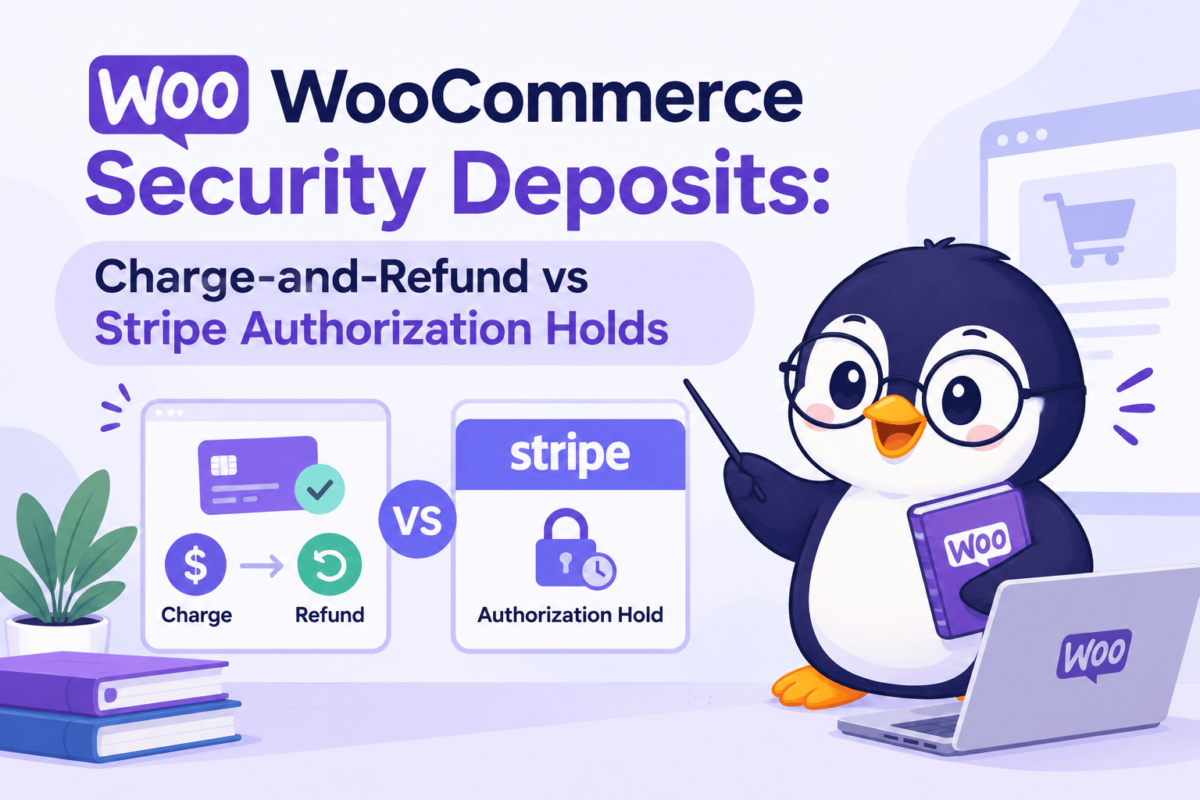
If you run rentals, equipment hire, vacation accommodation or bookable activities on WooCommerce, you have to decide how the deposit will be collected. There are two common architectures:
- Charge the deposit now and refund it later.
- Place a temporary authorization hold on the customer’s card and capture only what you need.
Neither is universally better. This article explains how each one works, where each breaks down, and how to choose.
Why security deposits need a different payment workflow
A normal WooCommerce payment has a short life. The customer pays, the order moves to Processing, you fulfil it, and the order is completed. Refunds are the exception.
A deposit has the opposite shape. The expected outcome is that nothing happens to the money: the guest leaves the apartment clean, the camera comes back intact, the bike is returned on time. The deposit only becomes revenue when something goes wrong, such as damage, a late return or a missing item. Even then, the amount is often less than the full deposit.
Deposits also have a long, uncertain window between payment and resolution. A customer might book three weeks ahead, stay for a week, and the damage check might happen two days after checkout. That is a long time for funds to sit in limbo, and the payment method has to be able to handle it.
Typical use cases include:
- Equipment and tool rentals, where the deposit covers loss or damage.
- Vacation rentals and accommodation, where the deposit covers damage or extra cleaning.
- Bookable activities and vehicle hire, where the deposit covers no-shows, late returns or fuel.
- Event spaces and gear, where the final cost depends on what happens during the event.
These cases share one trait: the final amount owed is unknown when the customer pays.
The charge-and-refund approach
How it works
The customer pays the deposit as a normal charge, either as part of the order or as a separate line item. Stripe captures the money immediately, and it is settled to your Stripe balance like any other payment. When the rental ends and you confirm that nothing is owed, you issue a refund for the deposit amount, or a partial refund if you keep part of it. Stripe sends the refund request to the customer’s bank or card issuer.
Why it is straightforward
This approach uses only the most common path in WooCommerce and Stripe. There is no special payment state to track. Every WooCommerce refund tool, accounting integration and reporting plugin already understands charges and refunds. A support agent can find the charge in the Stripe Dashboard, click Refund, and be done. Charge-and-refund also generally has broader payment-method compatibility because it does not depend on separate authorization and capture support. Stripe’s documentation lists cards, Affirm, Afterpay, Cash App Pay, Klarna and PayPal as supporting separate authorization and capture, while methods such as ACH and iDEAL do not. Refund handling still varies by payment method, so check how each method you accept processes refunds.
Unlike an authorization hold, a captured deposit is not subject to the card authorization-expiry window, although refund rules and operational constraints can still vary by payment method.
Operational implications
The simplicity has a cost, and it is mostly on the customer and cash-flow side.
The customer is actually out of pocket. The money leaves their account at checkout and may take days to come back. Stripe’s refund documentation says customers can expect refunds in 5 to 10 business days depending on their bank, and some refunds appear sooner. If a refund fails, for example because the card has been closed, the money returns to your Stripe balance and you need another way to pay the customer back. For a large deposit on a long booking, this can feel like a real imposition.
You hold the money, and you have to give it back. The deposit sits in your Stripe balance as funds you owe. Stripe refunds come from your available balance, so your payout schedule and your refund obligations interact. Your accountant also needs to treat the deposit as a liability rather than income, which is not how WooCommerce reports sales by default.
Refunds have a cost. Stripe’s documentation states that the processing fees applied to the original transaction are not refunded. If you charge a deposit on every booking and refund it on nearly every booking, you pay fees on money that was never yours. Check Stripe’s pricing for your account to see what that means for your volume. Stripe’s refund documentation also recommends manual authorization and capture for businesses that process a large volume of refunds shortly after transactions, because cancelling an uncaptured payment or reducing the captured amount avoids processing a refund.
The authorization-hold approach
How Stripe authorization with manual capture works
With a card, a payment has two distinct steps: authorization, where the issuer confirms the funds are available and sets them aside, and capture, where the merchant actually collects them. Normally Stripe does both at once. If you create a PaymentIntent with capture_method=manual, Stripe only authorizes. When the authorization succeeds, the PaymentIntent moves to the requires_capture status, and nothing has been collected yet.
Stripe’s own example is a hotel that authorizes the full amount before arrival and captures it at checkout. A security deposit follows the same pattern.
Funds are reserved, not transferred
An authorization is a reservation on the customer’s available balance or credit line. It is not a charge, and it is not a partial payment. No money moves to your account. This distinction matters both for how you describe the deposit to customers and for how you model it in WooCommerce.
One caveat from Stripe’s documentation is worth passing on to customers: on some issuers’ statements and in some banking apps, an authorization looks similar to a captured payment. A customer may see the pending hold and assume they have already been charged. A clear explanation at checkout prevents most of the support tickets this causes.
Full capture, partial capture and release
Once the PaymentIntent is in requires_capture, you have three options:
- Capture the full amount. By default, a capture request collects the entire authorized amount.
- Capture part of it. Pass
amount_to_capturewith a lower amount. Stripe states that a partial capture automatically releases the remainder. For most transactions you can only capture once, so you cannot capture the difference later. Some card payments are eligible for multicapture, which is a separate feature with its own conditions. - Release the hold. Cancel the PaymentIntent. Nothing is transferred, and the reserved funds go back to the customer once the issuer processes the cancellation. Stripe notes that a PaymentIntent in
requires_capturecannot be refunded directly, because nothing has been collected. Cancellation is the correct operation.
The capture amount is also subject to Stripe’s rules and to what is available to capture. For online card payments, Stripe documents overcapture as a separate feature with its own eligibility conditions, so don’t design a deposit flow that assumes you can capture more than you authorized.
Why the authorization window matters
This is the part of the model that surprises most teams. An authorization does not last forever. Stripe states that you must capture before the authorization expires. If it expires first, the hold is released and the payment moves to canceled.
How long you have depends on the card network, the type of transaction and the payment method. Stripe’s documentation gives a typical figure of seven days for online card payments, with different figures by brand and by whether the transaction is classified as customer-initiated or merchant-initiated. For example, it lists a shorter window for Visa merchant-initiated transactions. Other payment methods have their own rules, and Stripe documents different windows for PayPal, Klarna, Afterpay and others. Stripe also offers extended authorizations for some eligible online card payments, which can extend the window to up to 30 days, but eligibility depends on the card and the circumstances.
The practical lesson is that the window is set by the card network and the payment method, not by WooCommerce, your plugin or your Stripe account. You should read it from the data Stripe returns for each payment (the capture_before attribute on the charge) rather than hard-coding a number, and never promise a customer a specific duration.
That makes the authorization-hold approach a good fit for short risk windows and a poor fit for deposits that must be held for weeks. If a booking is made two months ahead, you cannot authorize at booking time and expect the hold to still exist on arrival day.
Comparing both models in practice
Customer experience. With a hold, the customer’s money is never taken if nothing goes wrong. They see a pending reservation that disappears. With charge-and-refund, the customer pays and waits. For higher-value deposits, the hold is much friendlier. On the other hand, a hold reduces the customer’s available credit, which can be a problem on a card with a low limit.
Cash flow and reconciliation. A hold keeps the deposit out of your Stripe balance until you capture it, so there is no captured deposit to refund or reconcile as received funds. Charge-and-refund puts real money in your balance that you owe back, and your reconciliation needs to separate it from revenue.
Timing constraints. This is where the models diverge most. Charge-and-refund has no deadline, so it suits long gaps between booking and resolution. A hold has a hard deadline set by the network, so it suits short, well-defined risk windows.
Where each fits best.
- A hold works well when the deposit is collected shortly before the rental starts and resolved shortly after it ends, such as a weekend equipment rental or a short stay.
- Charge-and-refund works well when the deposit is collected far in advance, when the rental is long, when the payment method does not support holds, or when the business simply wants the simplest possible flow.
WooCommerce implementation considerations
Keep the main order payment separate from the deposit authorization
The most important design decision is to treat the order payment and the deposit as two separate payment concerns. The order payment is a normal WooCommerce payment: it is captured at checkout and reflected in the order total. The deposit is a different object with a different lifecycle, a different amount, a different deadline and a different set of possible outcomes.
If you fold the deposit into the order total, refunds, taxes, reports and statuses all become confusing. A customer who gets their deposit released should not see their order total change. Keeping the two separate means you can capture the deposit, release it or let it expire without touching the order’s financial record.
In practice, this type of workflow can also be implemented in WooCommerce with tools such as SecureHold WP, which keeps the security-deposit authorization separate from the main order payment.
PaymentIntent state and manual capture
Model the deposit by its Stripe state rather than by your own assumptions. The relevant states are requires_capture (authorized, waiting), succeeded (captured), and canceled (released or expired). Store the PaymentIntent ID and read its current status from Stripe before any capture or release. Stripe also sends a payment_intent.amount_capturable_updated event when a customer completes a manual-capture payment, and you can check amount_capturable for the amount that can still be captured.
WooCommerce order statuses
WooCommerce’s default statuses (Pending payment, Processing, On hold, Completed, Cancelled, Refunded and Failed) describe the order, not the deposit. Avoid mapping deposit outcomes onto them. A completed order with a released deposit is still a completed order. Record the deposit state as separate order metadata or in its own table, and show it to staff in the order screen so they can act on it.
Webhooks, idempotency and avoiding duplicate actions
Capture and release are actions with money consequences, so reliability matters more than speed.
Stripe’s webhook documentation says that events are not guaranteed to arrive in the order they were generated, and that you should use event IDs to detect duplicate deliveries. It also notes that Stripe retries failed deliveries for up to three days in live mode, so your handler will see the same event more than once. Verify the Stripe-Signature header using the raw request body, and store the IDs of events you have processed.
For the API calls themselves, use idempotency keys on capture and cancel requests. Stripe saves the result of the first request made with a given key and returns the same result for later requests with that key, so a network timeout followed by a retry does not capture twice. Keys are pruned after at least 24 hours, so they protect against retries, not against a manager clicking the button again next week. For that, check the PaymentIntent status before acting and record the outcome in your own data.
These patterns also reflect implementation lessons from building SecureHold WP, a WooCommerce plugin for security deposit authorization holds, but the principles themselves are not tied to any particular tool.
Common mistakes
Treating a security deposit as a partial payment. An authorization is a reservation, not money received. If you record it as paid, or reduce the order balance because of it, your books will be wrong the moment the hold is released or expires.
Ignoring authorization expiry. Teams often test with a hold, capture it a few minutes later, and ship. In production, a damage inspection happens after the window has closed, the hold is gone, and there is nothing to capture. Show the expiry date to staff, send reminders well before it, and decide in advance what happens when it passes.
Stripe account or mode mismatches. Stripe’s documentation states that test mode and live mode each have their own API keys, and that objects from one mode are not accessible in the other. If a PaymentMethod or PaymentIntent was created with test keys and you later look it up with live keys, or the reverse, the lookup fails. The same applies when a site is connected to a different Stripe account than the one that created the payment, and webhook signing secrets differ between modes too. These errors tend to appear after a site migration, a staging-to-production copy or a key rotation, so log which mode and account each deposit was created under.
Assuming every booking needs the same deposit model. A booking made the same week and a booking made four months ahead have different constraints. A card payment and a payment method that does not support manual capture also differ. It is reasonable for one store to use holds for some products and a charge-and-refund flow for others.
A practical decision framework
Ask these questions in order.
- How long is the risk window? Measure from the moment the deposit is collected to the moment you need to be able to claim it. If that is within the authorization window of the payment methods you accept, a hold is possible. If it is longer, or uncertain, charge-and-refund is safer. Extended authorizations may help in some cases, but they depend on eligibility, so don’t build the plan around them.
- Do you need partial capture? If damage claims are usually a fraction of the deposit, a hold handles that cleanly, because capturing less releases the rest. With charge-and-refund you can do the same with a partial refund, but the customer has already paid the full amount.
- How much operational complexity can you take on? A hold needs expiry tracking, webhook handling and clear staff procedures. Charge-and-refund needs very little. If your team is small and your deposits are low, simplicity may be worth more than a better customer experience.
- What will the customer experience? For higher-value deposits, charging the full amount upfront can create more friction for the customer. Holds feel lighter, though they still reduce the customer’s available credit and may appear on statements as pending.
- When is charge-and-refund still the better choice? When the deposit is collected long before the rental, when the rental period is long, when payment methods without manual capture matter to your customers, or when the deposit is small enough that refund friction is not a problem. It is also the right fallback when an authorization has already expired and you still need to secure the deposit.
Conclusion
Both models are legitimate answers to the same problem. Charge-and-refund is simple, has no deadline and has broader payment-method compatibility, but it takes money from the customer and relies on a refund to give it back. An authorization hold keeps the customer’s money in place and supports partial capture, but it depends on a window that the card network sets, and it demands more careful engineering.
The right choice depends on your booking lead times, your risk window, your payment methods and your team’s capacity to run the workflow reliably. Whichever you pick, keep the deposit separate from the main order payment, read state from Stripe rather than assuming it, and make every capture or release safe to repeat.
Comments