
Zendesk
Zendesk – Review, Pricing & Features
Zendesk started as a ticketing tool and has spent the last couple of years turning itself into an AI customer support company. The part most people are actually researching when they land on this page is its AI Agents – the automated system that answers customer questions and resolves tickets without a human touching them.
This guide sticks to that: what Zendesk’s AI actually does, what it costs once you add the real numbers up, what genuine users say, and whether it’s worth it for your team.
Zendesk also sells other products outside this space, and we’ve kept those to a couple of honest lines rather than padding the page with features that have nothing to do with AI support.
Is Zendesk Worth It? Our Review & Recommendation
After going through the AI features, the real pricing with add-ons included, and what actual users report, here’s the honest take: we recommend Zendesk for mid-market and enterprise support teams that need real AI resolution depth across chat, voice, and email, and that have the budget and admin resources to set it up properly. For a team with the ticket volume to make use of it, the automation and reporting hold up – the consistent 4.3 to 4.5 ratings across G2, Capterra, and TrustRadius reflect that.
We would not recommend it to a small team on a tight budget expecting a simple, flat-priced tool. There’s no free plan, and the add-on model means the real monthly cost is almost always higher than the number on the pricing page. If that’s your situation, it’s worth pricing out the fully loaded cost – seats plus Copilot, QA, and AI resolution charges – against a simpler alternative before you commit.
Everything You Need to Know About Zendesk
| Website | zendesk.com |
| Company type | Private (previously public on NYSE: ZEN, 2014–2022) |
| Founded | 2007, in Copenhagen, Denmark |
| Headquarters | San Francisco, California, USA |
| Founders | Mikkel Svane, Alexander Aghassipour, and Morten Primdahl |
| Owners | Hellman & Friedman and Permira (took the company private in a $10.2 billion deal, November 2022) |
| Customers | Over 200,000 organizations, including Uber, GitHub, Siemens, Tesco, Discord, and Box |
| Free plan | No permanent free plan; 14-day free trial, no credit card required |
| AI included? | Yes, on every paid plan since May 2026, with a limited monthly allotment before per-resolution charges apply |
Zendesk was started in 2007 in Copenhagen by three friends – Mikkel Svane, Alexander Aghassipour, and Morten Primdahl – who built the first version on an old door propped up as a desk, which is where the company name came from.
It went public on the NYSE in 2014, then got taken private again in a $10.2 billion deal in late 2022, led by investment firms Hellman & Friedman and Permira. In March 2026, it closed its acquisition of Forethought, an AI agent company that was already handling over a billion customer conversations a month for clients like Upwork and Grammarly – reported by TechCrunch as Zendesk’s biggest acquisition in almost 20 years, and the clearest sign of how much the company is now betting on AI.
What Does Zendesk’s AI Customer Support Actually Does?
AI Agents – the part doing the actual talking
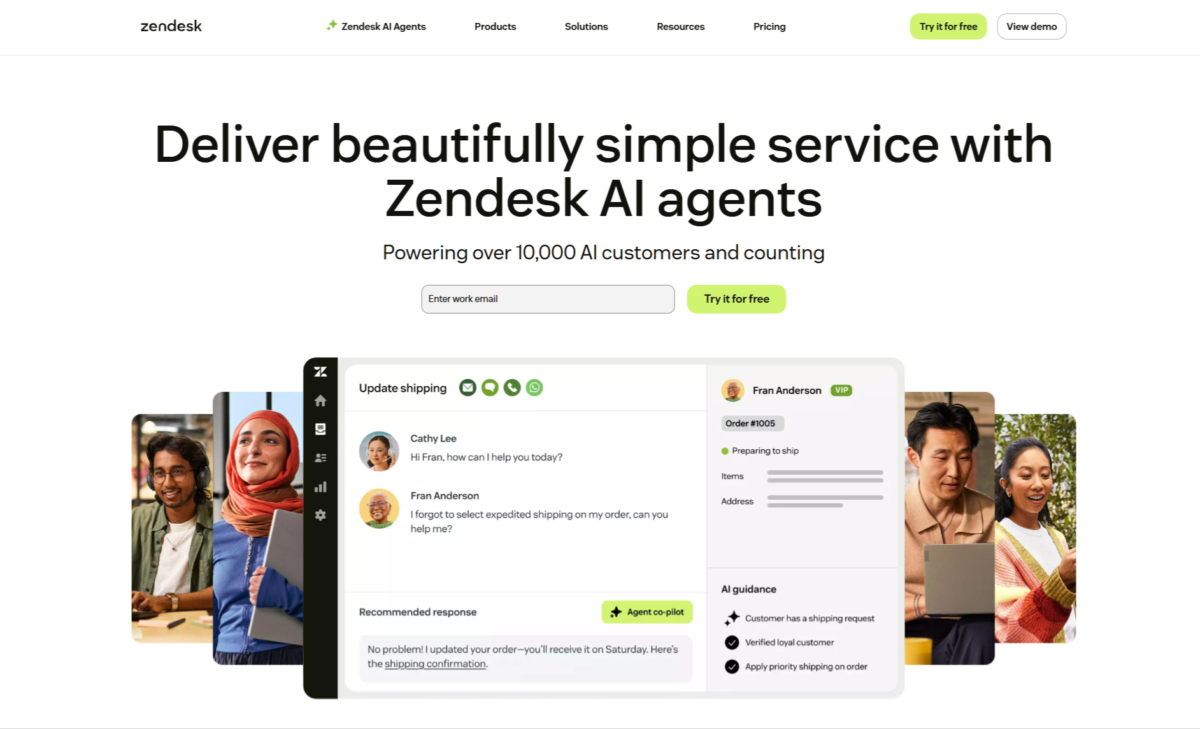
This is the core of what people mean when they say Zendesk has an ai customer service agent. It’s built to resolve a customer issue start to finish without a human stepping in – not just replying with an answer, but completing the task – across email, chat, voice, and messaging.
Zendesk calls the system behind it the Resolution Learning Loop: every resolved conversation feeds back in, so the AI service bot is meant to keep getting sharper instead of staying static. Zendesk’s own numbers claim up to 80% automation on the queries these agents fully own.
If what you’re picturing is more of an AI chatbot sitting on your website answering FAQs, that’s part of the same system – it just also extends into voice and messaging, not only web chat.
If you’re comparing Zendesk with other options, check out our list of the 7 Best AI Customer Service Tools to see which tool fits your support needs.
Copilot – AI for your human agents
Copilot is a separate piece, built for the agents on your team rather than your customers. It drafts reply suggestions, summarizes long ticket threads, and helps route incoming tickets to the right place.
It’s what most of Zendesk’s AI customer service agents (the human kind, working alongside the AI) actually use day to day, and it’s billed separately from your base plan.
Quality Assurance – checking the AI’s work
An add-on that automatically scores how both the AI and human agents are handling conversations, instead of a manager needing to spot-check tickets by hand. This is really the layer that keeps the rest of the AI support system honest over time.
The Ticketing Base It All Runs On
Underneath the AI, there’s still a standard ticketing system – email, chat, and messages become tickets, with automation and a knowledge base. This is what Zendesk calls Support (ticketing only) or Suite (ticketing plus chat, messaging, and voice bundled together), and it’s the foundation the AI Agents and Copilot actually operate on top of. Without this base layer, there’s no AI to run.
What Else Zendesk Sells?
Outside of AI customer support, Zendesk also has an Employee Service product for internal IT and HR requests, a Contact Center product for voice support that works a bit like an AI phone call assistant with AI-assisted call routing, a Workforce Management add-on for staff scheduling, and a marketplace of over 1,800 third-party integrations.
Real Results Zendesk Points To
Zendesk publishes named customer case studies alongside its marketing claims, and a few give a concrete sense of what results look like in practice. Support and ticketing company NEXT reports a 92% one-touch resolution rate and a 15% drop in average handle time after adopting Zendesk AI.
Ticket marketplace SeatGeek reports a 6% increase in automated resolutions and roughly double the CSAT score on AI-handled conversations, while Vimeo reports a 36% increase in AI agent conversation volume.
These are Zendesk’s own reported figures from real, named customers, so treat them as vendor case studies rather than independent research – but they’re concrete numbers, not vague claims.
Zendesk Pricing
Zendesk’s pricing is genuinely one of the more complicated parts of evaluating it, because the publicly listed per-agent price is rarely the full cost once AI usage and add-ons are factored in. Prices below are per agent, per month, billed annually (monthly billing runs roughly 15–25% higher):
| Plan | Price | Features |
|---|---|---|
| Support Team | $19/agent/month (annual) |
|
| Suite Growth | $55/agent/month (annual) |
|
| Suite Professional | $115/agent/month (annual) |
|
| Suite Enterprise | Starting at $169/agent/month (annual) |
|
On top of whichever plan you pick, expect these common add-ons, which several independent reviewers specifically call out as easy to underestimate when budgeting:
- AI Agent resolutions past your plan’s included allotment – billed per resolution, with third-party estimates putting this around $1.50 per resolution on committed volume.
- Copilot (the human-agent AI assistant) – $50/agent/month.
- Quality Assurance – $35/agent/month.
- Workforce Management – a separate paid bundle, priced apart from the core plan.
Because Suite Growth and Enterprise pricing have moved behind less transparent pages over the course of 2026, it’s worth confirming the exact current number directly on Zendesk’s pricing page or with a sales rep before budgeting, rather than relying on any single published figure – including this one.
Where People Get Frustrated With Zendesk?
The base per-agent price is only the starting point – several reviewers describe discovering that a feature they assumed was included actually required Copilot, QA, or a higher Suite tier.
Billing AI resolutions per use rather than a flat rate also means the monthly AI cost moves around instead of staying fixed, which some teams find harder to budget against. There’s a real learning curve too – the platform is deep enough that new admins typically need genuine onboarding time rather than being able to figure it out alone on day one.
And a handful of reviewers point out that Zendesk’s own support leans heavily on self-service help articles over live assistance, which feels like an odd gap for a company whose whole product is customer support software.
What Real Users Say?
Zendesk’s ratings hold up well and stay consistent across review sites: roughly 4.3 out of 5 on G2 (from about 6,700+ reviews), around 4.4 to 4.5 out of 5 on Capterra (from roughly 4,000+ reviews), and 8.7 out of 10 on TrustRadius.
What people consistently like:
- Bringing email, chat, phone, and social conversations into one unified ticket view – the most repeated praise across reviews.
- Automation tools like triggers, macros, and skills-based routing, described as genuinely powerful once set up properly.
- Reporting depth through Zendesk Explore, especially for teams with high ticket volume.
- Integration with tools like Jira, Salesforce, and Slack.
What people consistently flag:
- Pricing complexity, with add-ons that can push the real bill well past the advertised starting price.
- A steep learning curve for new admins, especially after recent reporting interface changes.
- Features reviewers expected to be included that turned out to sit behind a higher tier.
- Zendesk’s own support being harder to reach for live help than you’d expect from a support company.
Who Should Actually Use This?
Good fit for:
- Mid-market and enterprise teams running true omnichannel support who will actually use the AI resolution and routing depth
- Teams with a dedicated admin, or budget for one, who can configure and maintain the platform properly
- Companies with enough ticket volume that AI resolution savings genuinely offset the per-agent and add-on costs
- Anyone specifically comparing ai help desk platforms and wanting one with a large, established customer base behind it
Probably not the right fit for:
- Small teams on a tight budget, since there’s no free plan and the add-on model adds up fast
- Teams that want one predictable, flat monthly cost instead of variable AI usage billing
- Anyone expecting most AI features included in the base price without stacking add-ons on top
Strengths and Weaknesses Of Zendesk
Strengths
-
-
- Deep AI resolution across chat, voice, and email in one workspace.
- Strong, consistent ratings across G2, Capterra, and TrustRadius.
- Powerful automation and reporting once properly configured.
- Backed by 200,000+ customers and named enterprise case studies.
- Recently expanded AI depth through the Forethought acquisition.
-
Weaknesses
-
-
- No permanent free plan, only a 14-day trial.
- Add-ons (Copilot, QA, WFM) stack the real bill well past the base price.
- Variable, per-resolution AI billing is harder to forecast than flat pricing.
- Real learning curve for new admins and agents.
- Suite Growth and Enterprise pricing are less transparent than they used to be.
-
Frequently Asked Questions
What is Zendesk’s AI customer support actually called?
Zendesk’s core AI product is called AI Agents, built to resolve customer issues end-to-end across chat, email, and voice, alongside Copilot, a separate AI assistant built for human agents rather than customers.
Is Zendesk free?
No. Zendesk offers a 14-day free trial with no credit card required, but there’s no permanent free plan. Paid plans start at $19/agent/month for standalone Support, or $55/agent/month for the full Suite.
Are AI agents included in Zendesk’s price?
Since a May 2026 pricing change, AI Agents are included on every paid plan with a limited monthly allotment of resolutions. Resolutions past that allotment are billed separately, at roughly $1.50 per resolution based on third-party estimates.
What’s the difference between Zendesk Support and Zendesk Suite?
Support is standalone ticketing (email and basic channels only) at $19/agent/month. Suite bundles ticketing with live chat, messaging, and voice into one workspace, starting at $55/agent/month.
Who owns Zendesk?
Zendesk is privately owned by a group led by Hellman & Friedman and Permira, who took the company private in a $10.2 billion deal in November 2022. It was founded in 2007 in Copenhagen by Mikkel Svane, Alexander Aghassipour, and Morten Primdahl.
Is Zendesk good for small businesses?
It can be, but the lack of a free plan and the add-on-heavy pricing tend to make it a better fit for teams of 5 or more agents with a real support workflow, rather than a solo founder handling a handful of tickets a week.
Zendesk vs Freshdesk: which one should I use?
Freshdesk’s entry-level plans are generally cheaper – its Growth plan runs about $19/agent/month with more included than Zendesk’s equivalent Support Team tier, and Freshdesk also offers a genuine, if time-limited, free plan, which Zendesk doesn’t have at all. Zendesk tends to offer deeper reporting, more mature routing, and a larger app marketplace, which is why it’s more often chosen by mid-market and enterprise teams, while Freshdesk is frequently the more budget-friendly starting point for smaller teams.
Read our full Freshdesk Review – pricing and features breakdown
Zendesk vs Intercom: what’s the real difference?
Both charge per seat and both now bill AI resolutions separately from the base plan, so the pricing structures are more similar than different. The bigger distinction is product focus: Intercom leans toward proactive, in-app messaging for product-led SaaS companies, while Zendesk leans toward high-volume, multichannel ticketing with deeper reporting.