
5 Best AI Outfit Generators for Women
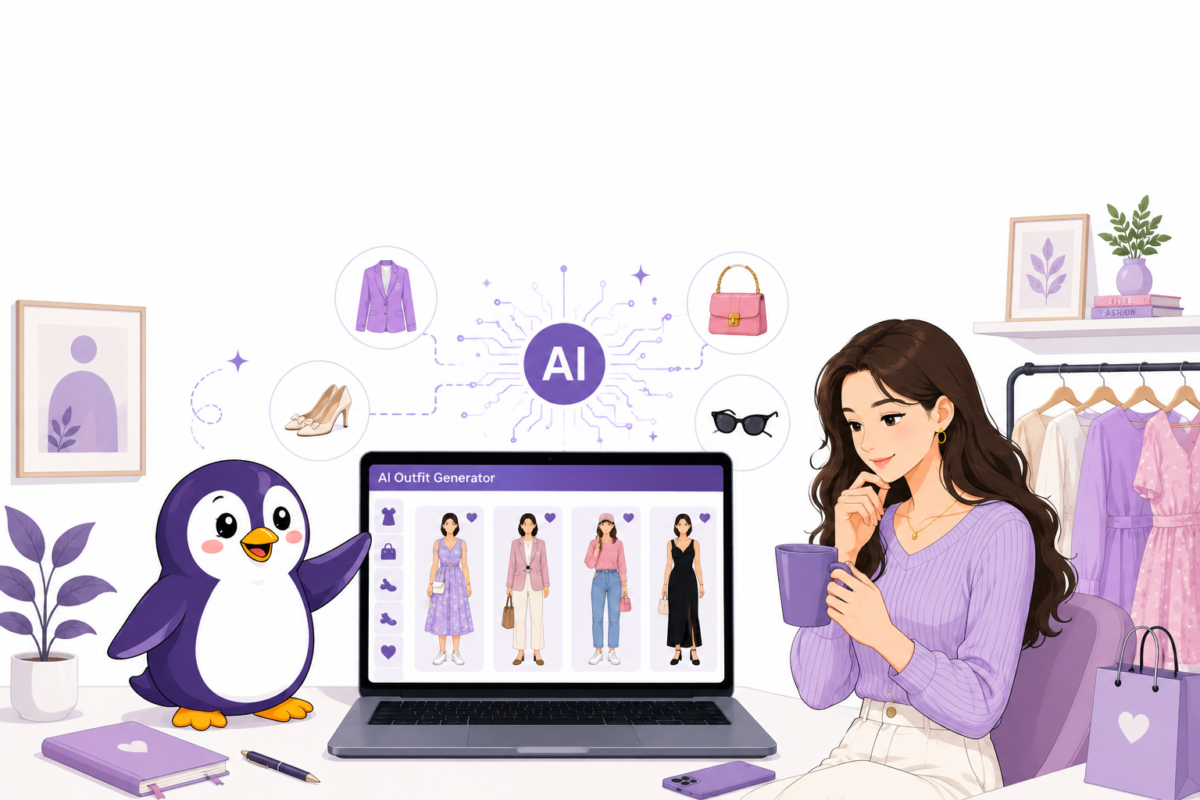
“AI outfit generator” means different things depending on who’s typing it into Google. Some women want help figuring out what actually suits them, which colours work with their skin tone, which silhouette fits their shape, whether a piece they already own is really working for them. Others aren’t shoppers at all; they run a clothing brand and need photos of women wearing their products, without booking a real model and a studio.
Both searches land on the same handful of words, but they need completely different tools. This guide covers both kinds, real ones, each genuinely built for the job, not a generic app with a “for women” label slapped on. Here’s what each one does, what it costs, and where it comes up short.
Quick Answer
OnStyle and misi are the two worth trying first if you’re shopping for yourself; both centre on colour analysis, which most general outfit apps skip entirely. OnStyle leans more toward daily outfit planning built on top of that colour profile; misi leans more toward the colour and style discovery itself, with real stylist input behind the recommendations.
If you’re on the business side, Whatmore, Scalio, and Rawshot AI all generate AI female models for product photography instead of styling a personal wardrobe. Whatmore and Scalio are built for speed and cost at catalogue scale; Rawshot AI adds a compliance layer on top, with output labelled to match rules like the EU AI Act, which matters if you’re selling into Europe.
The rest of this guide breaks down what each one actually gets right, where it falls short, and what real users say about it.
What Is an AI Outfit Generator for Women?
An AI outfit generator for women is a tool that uses artificial intelligence to build outfit combinations or preview clothing, either from a woman’s own wardrobe and personal colour profile, or by placing a garment onto an AI-created female model for brand photography. Consumer-facing versions typically lean heavily on colour analysis (matching clothing to skin tone, hair, and eye colour) alongside outfit building, since that’s the specific gap most general fashion apps skip over. Brand-facing versions use the same underlying idea, AI-generated visuals instead of a live photoshoot, but the goal is product imagery at scale, not personal styling.
Two genuinely different audiences end up searching the same terms:
- Women who want outfit and colour guidance built around their actual features, not generic suggestions
- Clothing brands and sellers who need female model photography without a studio booking
The common thread: replacing a slow, manual step, whether that’s guessing which colours actually suit you, or scheduling a real model and photographer for every product drop.
The 5 Best AI Outfit Generators for Women
Here’s a closer look at each one, what it’s actually built for, what it costs, and where it falls short.
1. OnStyle – Color Analysis Combined With Daily Outfit Planning
Most outfit apps ask what you own; OnStyle starts by asking what actually suits you. The app opens with a colour analysis step, built to identify the palette that works with your natural skin, hair, and eye tone, before it ever touches your closet.
From there, you upload your wardrobe, and OnStyle’s AI builds outfit suggestions that lean on that colour profile rather than treating colour as an afterthought, alongside a chat-based AI Stylist you can describe specific occasions to (a wedding, a themed party) for complete outfit ideas with shopping links included.
Real App Store reviews give a genuinely useful signal here beyond the star rating: one reviewer specifically said the app made picking outfits “quicker on workdays” and that the colour suggestions pushed her toward shades she’d never worn before that “surprisingly work.” Interestingly, at least one male user also reviewed the app and admitted it works, but wished for “more casual, guy-oriented outfit ideas”, a small but telling sign that OnStyle’s suggestions do lean toward a specifically feminine style register by default, which lines up with how the app positions itself.
OnStyle sits at 3.9 out of 5 on the App Store from 140+ ratings. It’s free to start, with an OnStyle Premium subscription unlocking unlimited access to the full feature set; payments are handled as an auto-renewing subscription, so it’s worth checking your plan before you forget it’s running.
| Key Features | Colour analysis (skin/hair/eye tone), wardrobe-based outfit suggestions, AI Stylist chat for specific occasions, shop-the-look links |
| Pricing | Free to start; OnStyle Premium subscription for unlimited access |
Things Should Know | Colour analysis feels genuinely tied into outfit suggestions rather than a separate gimmick; real reviewers report it becoming a daily habit |
| 3.9/5 rating reflects some inconsistency; suggestions skew toward a specific feminine style register, so it may feel narrow if your taste is more casual or androgynous |
2. Misi – Color Analysis First Styling With Real Stylist Expertise
Where OnStyle folds colour analysis into a broader outfit-planning app, misi goes deeper on the colour side specifically, and says so directly in its own positioning: it’s built for “real women,” not fast-fashion trends, combining AI analysis with actual stylist expertise rather than a purely algorithmic read.
You go through an onboarding flow examining your skin, hair, and eye features, and Misi builds a custom colour palette from that, then layers in body-shape insights and an Outfit Checker that gives AI feedback on a specific look before you commit to it.
What stood out in independent testing (a fashion writer who spent time comparing several styling apps head-to-head) was how fast the onboarding felt, under two minutes by one account, without feeling like a generic quiz, and how the colour engine’s accuracy specifically stood out compared to competitor colour-analysis-only apps that were tested alongside it.
Real in-app reviews echo a similar pattern: several women describe using it after major life changes, a new job, returning from maternity leave, as a way to rebuild a style sense they’d lost track of, which is a genuinely different use case than the “plan tomorrow’s outfit” framing most competitors lead with.
Misi is free for the core color analysis, style kit, and basic outfit tools; deeper personalization and premium shopping curation sit behind an optional subscription that stays under $20, according to independent testing.
| Key Features | AI + stylist-informed colour analysis, body shape insights, Outfit Checker for feedback on a specific look, curated shopping matched to your palette |
| Pricing | Free for core color analysis and styling tools; premium subscription under $20 |
Things Should Know | Colour analysis accuracy specifically praised in side-by-side testing against competitor colour apps; genuinely fast onboarding |
| More narrowly focused on colour and shape than full wardrobe-and-outfit-planning apps, less useful if you mainly want daily outfit logistics rather than style discovery |
3. Whatmore – AI-Created Female Models for Fashion Brands at Scale
This is where the search shifts from personal styling to product photography.
Whatmore runs a dedicated AI female model tool for clothing brands: upload a flat-lay or product photo of a garment, and it generates a photorealistic female model wearing it, no studio booking, casting call, or photographer needed.
You can adjust the model’s ethnicity, build, and styling to match your actual customer base, with dedicated model libraries broken out by region (American, Asian, Indian, African, Spanish, among others), and reuse the same model identity across an entire catalogue for visual consistency.
Whatmore’s own figures cite 60–80% cost savings compared to a traditional photoshoot, and the model reuses across content mean one generated identity can support hundreds of unique pieces of content rather than a single shoot’s worth of images. As with any AI model generator, expect this to work best for volume catalogue shots rather than a highly art-directed campaign image.
Worth knowing if your brand also sells menswear or kidswear: Whatmore runs the exact same idea through separate, dedicated tools for male models and child models too, so one platform can cover an entire multi-category catalogue.
| Key Features | Dedicated AI female model generator, region-specific model libraries, adjustable build/ethnicity/styling, batch catalogue processing, reusable model identity |
| Pricing | Freemium; paid plans from ~$29/month |
Things Should Know | Reported 60–80% cost savings vs. real shoots; region-specific model libraries help match a brand’s actual customer base |
| Built for volume and speed rather than a highly art-directed single campaign image |
4. Scalio – The Low-Cost Option for Smaller Women’s Fashion Sellers
Not every women’s fashion retailer is a brand with a large marketing budget. Scalio’s AI female model tool is built with that smaller seller in mind:
It starts free with 5 credits, so you can generate a handful of real product images before deciding whether to pay for more. Scalio specifically highlights Indian female models among its diverse options, built to reflect different skin tones, facial features, and body types rather than a single generic look, and its own site cites 25–40% higher conversion on product pages alongside 80% cost savings versus a traditional shoot.
The workflow is straightforward: upload your product, choose your model, set the style, and get studio-quality imagery without scheduling, location scouting, or post-production delays, with over 50 studio backgrounds available to keep an entire catalogue visually consistent.
If your shop also sells menswear or kidswear: Scalio runs the same idea through separate tools for AI models and kids AI models, so one platform can realistically cover a full multi-category catalogue.
| Key Features | Studio-quality catalogue images, Indian female model diversity (skin tone, features, body type), 50+ studio backgrounds, fast turnaround |
| Pricing | Free to start with 5 credits; paid plans for continued use |
Things Should Know | Low barrier to entry for small sellers; cited 25–40% conversion lift alongside 80% cost savings |
| 5 free credits won’t cover a full catalogue; expect to pay once you’re testing seriously |
5. Rawshot AI – Built Around Compliance-Labelled, Audit-Ready Output
Fashion brands operating in the EU or working with larger retailers increasingly have to think about more than just image quality; labelling AI-generated content correctly is becoming a real compliance requirement.
Rawshot AI’s female model generator is built with that specifically in mind: every output is C2PA-signed, watermarked (both visibly and cryptographically), and includes AI-labelling metadata designed to align with rules like the EU AI Act’s Article 50 and California’s SB 942, alongside GDPR-compliant, EU-hosted processing.
Beyond the compliance layer, the platform is genuinely built around diversity of body type and presentation rather than one narrow default; it maintains separate, dedicated generation profiles for curvy, chubby, and teenage female models, among others, each with the same underlying pricing and compliance framework rather than treating diverse bodies as an afterthought add-on.
Model generation runs at roughly $0.99 per generation, typically completing in 50–60 seconds, with tokens that never expire and automatic refunds on failed generations. Plans scale from smaller token bundles up to higher-volume enterprise needs, and every approved output comes with permanent, worldwide commercial rights.
| Key Features | C2PA-signed and watermarked outputs, EU AI Act/GDPR-aligned labelling, dedicated body-diversity profiles (curvy, chubby, teenage), reusable model identity |
| Pricing | Token-based, ~$0.99 per generation; tokens never expire |
Things Should Know | Strong compliance and provenance framing for brands that need audit-ready imagery; genuine range of body-type-specific model profiles |
| Comparative “best of” claims are largely self-published rather than independently verified |
Whichever of these fits your situation, better daily outfit decisions or a women’s fashion catalogue without a studio budget, the point is the same: spend less time and money on a step that used to take both, and get to the actual outfit faster. And if your search for the right AI tool goes beyond fashion, ToolsFlood is a useful next stop for comparing options across categories.
Frequently Asked Questions
What is an AI outfit generator for women?
An AI outfit generator for women is a tool that uses artificial intelligence to build outfit combinations or colour-matched style suggestions, either from a woman’s own wardrobe and personal features, using apps like OnStyle or misi, or by generating a completely AI-created female model for a brand’s product photography, using tools like Whatmore, Scalio, or Rawshot AI.
What’s the difference between a women’s outfit app and an AI female model generator?
An outfit or colour-analysis app (like OnStyle or misi) works with a woman’s own wardrobe and features to suggest what to wear. An AI female model generator (like Whatmore, Scalio, or Rawshot AI) creates an entirely new, photorealistic model to wear a brand’s garment for catalogue or marketing photography; it’s a business tool, not a personal styling one, even though both get described as “AI outfit generators.”
Is color analysis actually accurate, or is it a gimmick?
It depends on the app and how it’s built. Independent testing across several color-analysis apps found real differences in accuracy; some apps’ palettes reportedly ran close to the opposite of a tester’s actual wardrobe, while others, including misi, were specifically praised for accuracy. It’s worth treating any single app’s palette as a strong starting hint rather than an absolute rule, especially if the suggestions feel consistently off.
Are AI-created female models actually replacing real photoshoots for fashion brands?
For catalogue and product photography, increasingly yes, largely due to cost and turnaround speed; cited savings across these tools commonly range from 60% to 80% versus a traditional shoot. For a flagship campaign where a brand wants a specific, highly art-directed feel, real photography is still commonly used alongside AI-generated imagery rather than replaced by it entirely.
Comments