
6 Best AI Menu Generators in 2026
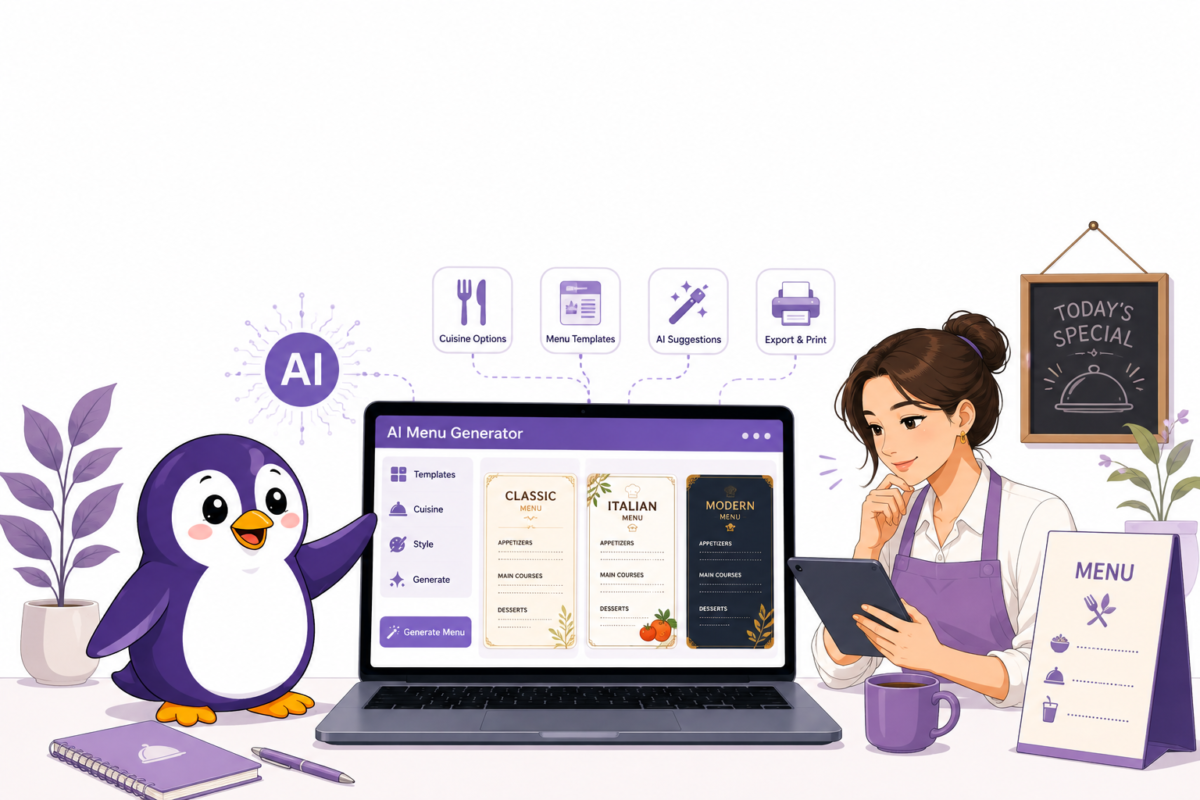
You’ve got a dish list, a handful of prices, and no design skills. Maybe you tried dragging text boxes around in Canva last night and gave up after twenty minutes. Or maybe you searched “AI menu generator,” got eleven tabs open, and now every single one claims to be “the best” and “trusted by thousands of restaurants.” None of them agree on what that actually means.
We picked six tools that are real and actually used by restaurants, not just templates with “AI” slapped on the name. For each one, we looked at what it actually creates, what it costs once the free credits run out, and where real users get frustrated. Some of these are simple design tools. A few are bigger platforms where the menu is just one small part. That difference matters a lot, so we’ve made it clear for each tool below.
Quick Answer
| Tool | What It Actually Is | Starting Price | Best For |
| Media.io | AI image generator with a menu-specific mode | Free credits, then paid tiers | Fast, single-page menus with photo-realistic visuals |
| Venngage | Broader design platform, menu is one template category | Free plan | Teams that also need brochures, flyers, or reports |
| Template.net | Massive prompt-to-design generator (menus are one of 60+ types) | Free, no signup | Trying multiple menu styles fast without commitment |
| Popmenu | Full restaurant marketing platform (website + menu + AI phone) | $179–$499/month | Restaurants that want more than just a PDF |
| Pixazo | AI-first, five-layout-per-prompt menu maker | ~$7/month (billed yearly) | Budget operators who want speed over control |
| MenuTiger | QR code and digital ordering platform | Free plan, paid from $46/month | Multi-language QR menus with live price updates |
If you just want a decent-looking PDF today and never touch it again, skip to Media.io or Template.net. If you’re actually running a restaurant’s digital presence – ordering, marketing, the whole thing – Popmenu is the one worth a longer look, with the pricing caveat covered below.
What AI Menu Generator?
An AI menu generator is a tool that uses artificial intelligence to turn a dish list, prices, and a style preference into a ready-to-use menu, either as a downloadable image or PDF, or as a live, updatable digital menu tied to a QR code or website.
This term gets used loosely, and it’s worth untangling before you pick one. We checked all seven tools directly, and they split into two genuinely different categories.
Pure design generators. You type your dish list and prices into a prompt, the AI lays it out with fonts, spacing, and colour choices, and you download an image or PDF. Media.io, Template.net, Pixazo, and (for its AI features specifically) all fall here. These tools have no idea what a “food cost percentage” is; they’re solving a visual problem, not a business one.
Menu-as-part-of-a-bigger-system tools. Popmenu and MenuTiger don’t just generate a static image; they publish a live, updatable menu tied to a website, ordering system, or QR code, and price accordingly. Venngage sits somewhat in between: it’s a design platform first, but its menus are built to be reused and rebranded repeatedly rather than generated once and forgotten.
Knowing which category you actually need saves you from comparing a $0 one-off PDF tool against a $200/month operating platform as if they’re competitors, which they’re not.
6 Best AI Menu Generators
What each one actually makes, what it costs, and where it falls short.
Media.io
Media.io’s menu tool runs on what it calls “Nano Banana 2 Pro,” an image-generation model tuned for layout and typography rather than general art. You type a full prompt: restaurant name, sections, items, prices, even a style note like “rustic” or “neon cocktail bar”, and it renders a complete, photo-quality menu image in one pass.
It supports both text-to-image (pure generation) and image-to-image, which matters if you want your actual logo or real food photography worked into the design instead of AI-generated placeholder visuals.
What we noticed testing it: the output leans toward visual menus, genuinely good-looking, styled like a photograph of a printed menu, rather than a clean editable document. That’s a strength if you want something that looks expensive fast, and a limitation if you need to make small text edits without regenerating the whole thing. There’s no free-form editing layer once the image is generated; you refine it by adjusting the prompt and running it again.
It sits inside a much larger platform – Media.io also does AI video, headshots, and dozens of unrelated effects, so the menu generator is one feature among many, not the company’s core focus.
Prompt quality matters more here than most people expect. Write out items, prices, sections, and a specific style note: “minimal modern,” “rustic chalkboard,” “elegant gold accents”, and the output holds together. Leave the prompt vague and the layout can come back messy or generic.
Another useful feature is that it generates more than one file type: you can pull print-ready portrait layouts, square or story-format versions for social media, and wider formats for digital menu boards, all from essentially the same prompt reworded slightly for each ratio. The image-to-image mode is the other detail worth using properly: upload your actual logo or real food photography instead of leaving it to generate placeholder visuals, and the result reads as noticeably more authentic than a fully AI-imagined dish.
One storage detail that’s easy to miss: free-tier creations are only kept for 7 days before they’re removed, so download anything you like immediately rather than assuming you can come back for it later. Paid plans store your creations permanently.
Pricing: Free daily credits to start; heavier or unwatermarked use requires a paid plan on the broader Media.io platform.
Good to know: because output is an image, not an editable file, print shops sometimes need a high-res export rather than a source file; check your resolution before sending to print. If small text edits come up later, expect to pull the PNG into Canva or Photoshop rather than editing it natively.
Want to learn more? We’ve covered Media.io in detail, including pricing, sample outputs, and more, in our full Media.io AI Menu Generator review.
Popmenu
Popmenu is the one tool on this list that isn’t really a “menu generator” in the way the other five are, and it’s important to be upfront about that. It’s an AI full restaurant marketing platform, an SEO-driven website, an interactive dish-by-dish menu (each item gets its own page with photos and reviews), automated email/SMS campaigns, and an AI phone-answering feature, with the menu as one piece of a much larger system. Founded in 2016, it’s raised $87 million, including a $65M round led by Tiger Global, and reports serving over 12,000 restaurants as of mid-2026.
That scope is also why the buying process looks different from every other tool on this list: sold through a demo call rather than self-serve signup, with pricing confirmed during the sales process rather than listed upfront on a checkout page.
We checked BBB filings, Trustpilot, and Reddit threads rather than relying on Popmenu’s own marketing, and a consistent complaint pattern surfaces across all three: customers reporting being charged after submitting a cancellation, undisclosed setup fees, and a gap between what a sales call promised and what the final contract actually included. That doesn’t mean the product doesn’t work; feedback on the actual interactive menu and marketing features is largely positive, but the buying and cancellation experience is worth going in prepared for.
The AI features go well beyond the menu itself: an AI phone-answering feature handles incoming calls, automated email and SMS campaigns run on their own schedule, and AI-written content fills in copy where needed. Popmenu’s own case studies cite phone-answering alone driving over $300,000 in additional revenue for some locations, though that figure comes from the company’s own reporting rather than an independent audit.
On the integrations side, it connects to Toast, Square, Clover, DoorDash, Uber Eats, OpenTable, Google Business Profile, and Yelp, with ordering placed directly through your own site commission-free rather than through a third-party delivery cut.
Pricing: Published tiers run $179–$499/month, with a 10% discount for annual billing; sold through a demo call rather than self-serve signup, so final pricing is typically confirmed during the sales process.
Good to know: if your only goal is a nice-looking menu, Popmenu is the most expensive way to get one on this entire list. It earns its price only if you need the website and ordering system too.
Venngage
Venngage approaches this from the opposite direction: it’s a full design platform (infographics, brochures, reports) that happens to have a strong menu category, rather than a menu-first tool. That shows up in genuinely useful ways: an AI Branding Automation feature that pulls your logo, colours, and fonts and auto-applies them across every menu you make, and an AI Writer with built-in translation, so a menu description can be rewritten or translated without leaving the editor.
We checked its independent ratings rather than trusting the on-page badges alone: 4.8 on Google, 4.7 on G2, 4.6 on Capterra, 4.8 on Trustpilot, a consistently strong spread across four separate review platforms, which is harder to fake than a single glowing testimonial page. Every generated menu is fully editable afterward in a proper drag-and-drop editor, unlike pure image-generators, a meaningful difference if you plan to update prices seasonally rather than regenerate from scratch each time.
One detail worth flagging: Venngage’s own FAQ states outputs are copyright-free for commercial use, but adds the caveat that any outside content you layer in (stock photos, fonts) needs its own clearance, a nuance a lot of competitors don’t bother mentioning.
The free plan is genuinely usable for trying the AI features, but it’s worth knowing the limits going in: you’re generally capped at around 5 designs, and exporting to PNG or PDF can come watermarked or restricted depending on the design; full, unwatermarked, high-resolution export needs Premium. The AI tools themselves- image generation, icons, translation- run on a daily credit system rather than a flat monthly allowance. Free and Premium plans have set daily limits, while Business unlocks 100 credits per day per user, and unused credits don’t roll over; they simply reset the next day.
Where Venngage genuinely pulls ahead of the pure image-generator tools on this list is seasonal updates. Because every menu stays fully editable after generation, changing a price or swapping an item is a direct drag-and-drop edit, not a full regeneration from a new prompt- a real practical advantage for anyone updating a menu regularly rather than making it once and leaving it alone.
Pricing: Free plan available for trying all AI features; Premium and Business tiers add private sharing and auto-branding on top.
Good to know: the accessibility layer (AI-written alt text, WCAG-compliant export) is a genuinely rare feature in this category, useful if your menu also needs to work for a screen-reader-dependent customer or you’re publishing it on a site with accessibility requirements.
Want more details? We break down Venngage’s pricing, credit limits, and editor in our full Venngage AI Menu Generator review.
Pixazo
Pixazo is built around one specific promise: speed. You enter your menu text, categories, items, prices, and it generates five complete layout options in one pass, rather than a single result you have to regenerate repeatedly to see variations. Output exports as high-resolution PNG or PDF.
The trade-off is control: Pixazo generates finished layouts rather than giving you a design canvas to build on. If the AI’s five options don’t match your brand aesthetic, your editing options are genuinely more limited than a tool like Venngage; you’re closer to picking the best of five drafts than sculpting a design from scratch. There’s also no food-cost or allergen-management layer here; it’s a visual layout tool, full stop.
The multiple-variations approach is genuinely worth calling out on its own: one prompt returns five complete layout options in a single pass, rather than the regenerate-and-hope cycle most competitors run on. Generation itself runs on a credits system; the free trial includes 100 bonus credits to properly test the tool before paying, and Pro plans include a monthly credit allowance plus access to in-house models, with discounted rates on some premium models. Credits are what actually gate how much you can generate, so it’s worth checking your expected monthly volume against the plan’s allowance before committing.
Pricing: Pro Monthly runs around $6, or Pro Yearly at roughly $48/year (about $4/month), one of the cheapest AI-specific menu tools available. The free 7-day trial with credits lets you properly test the output style before committing to either plan.
Good to know: the free trial is reportedly generous enough to properly test whether the output style fits your brand before paying, worth using fully before committing to the annual plan, since yearly billing is where the low price comes from.
MenuTiger
MenuTiger comes from QRTIGER, a QR code company already used by names like Hilton, Hyatt, and Ritz-Carlton across 147 countries, which explains why its menu tool is built QR-first rather than PDF-first. Menus update live: change a price or mark an item sold out, and every table’s QR code reflects it instantly, with no reprinting. Multi-language support runs deep here too, over 30 languages, alongside a built-in website builder and direct Canva and Zapier integrations for teams already working in those tools.
The free plan is real but restrictive, and this is where a wider comparison of alternatives was directly useful: several independent write-ups flag that features many operators actually need- a kitchen display system, white-label branding, table-level management– sit behind the paid tiers, not the free entry point. Worth mapping your must-have features against the paid tiers before assuming the free plan covers your actual workflow.
Specifically, the free plan is capped at 1 store, a limited number of categories and items (roughly 7 categories by 7 items), a restricted number of tables and QR codes, a monthly order limit, and MenuTiger’s own branding displayed on your menu, all of which push a genuinely active restaurant toward a paid tier fairly quickly. On the ordering side, customers can scan the QR code, order, and pay directly through Stripe, PayPal, Apple Pay, or Google Pay, with no commission taken on those orders, unlike delivery-app-style platforms that take a cut per transaction.
Pricing: Free plan available; Advanced starts at $46/month and Premium at $119/month for features like KDS and white-label branding.
Good to know: This is the strongest pick on this list specifically for a restaurant that changes prices or availability often; sold-out items updating instantly across every table is a genuine operational advantage a static PDF menu simply can’t offer.
In Summary
Whichever of these fits your situation, the fastest way to know is to actually generate one menu and look at it critically, not just for how it looks, but for how easy it’ll be to update six months from now when your prices change. Start with a free tier before paying for anything on this list. And if menu design is just one piece of a bigger AI toolkit you’re building for your business, ToolsFlood is a solid next stop for comparing options across other categories too.
Frequently Asked Questions
What is an AI menu generator?
An AI menu generator is a tool that uses artificial intelligence to turn a list of dishes, prices, and a style preference into a designed, ready-to-use menu , as a static image or PDF for pure design tools like Media.io, or as a live, updatable digital menu for platform tools like MenuTiger and Popmenu.
Are these tools actually free, or is “free” just a trial?
It varies genuinely by tool. Media.io, Venngage, and Template.net all have a real free tier that produces a usable, downloadable menu without payment , though premium templates, higher resolution, or watermark removal often sit behind a paid plan. Popmenu has no free tier at all; it’s sold through a sales call with published pricing starting at $179/month.
What’s the difference between a design tool and a platform like Popmenu or MenuTiger?
A design tool (Media.io, Venngage, Template.net, Canva, Pixazo) generates a menu you download and use elsewhere, on your own website, printed, or as a social post. A platform tool (Popmenu, MenuTiger) hosts the menu itself, keeps it live and updatable, and usually bundles in extras like QR codes, ordering, or marketing. The platform tools cost significantly more but solve a different problem than “I need a nice-looking menu.”
Do any of these tools help with food cost or pricing, not just design?
Not directly, based on what we checked across all seven. These are visual and (for Popmenu/MenuTiger) operational menu tools, not menu-engineering software. If food cost percentage, profit margin, and pricing strategy are your main concern rather than design, that’s a genuinely different category of tool, built specifically around POS and ingredient-cost data rather than layout.
How much does an AI menu generator cost?
Prices range from completely free to several hundred dollars a month, depending on what you actually need. Pure design tools like Media.io, Template.net, and Canva have usable free tiers, with paid plans typically under $15/month. Pixazo starts around $4–7/month. Platform tools are priced differently: MenuTiger starts free and scales to $119/month, while Popmenu, a full restaurant marketing platform, not just a menu tool, runs $179 to $499/month.
Can I create a restaurant menu with AI for free?
Yes. Media.io, Venngage, Template.net, and Canva all let you generate and download a usable menu without paying, though free tiers typically limit resolution, watermarking, or the number of designs you can create. MenuTiger also has a genuine free plan, capped at one store and a limited number of items and QR codes.
Comments