
Venngage AI Menu Generator - Review, Pricing & Features
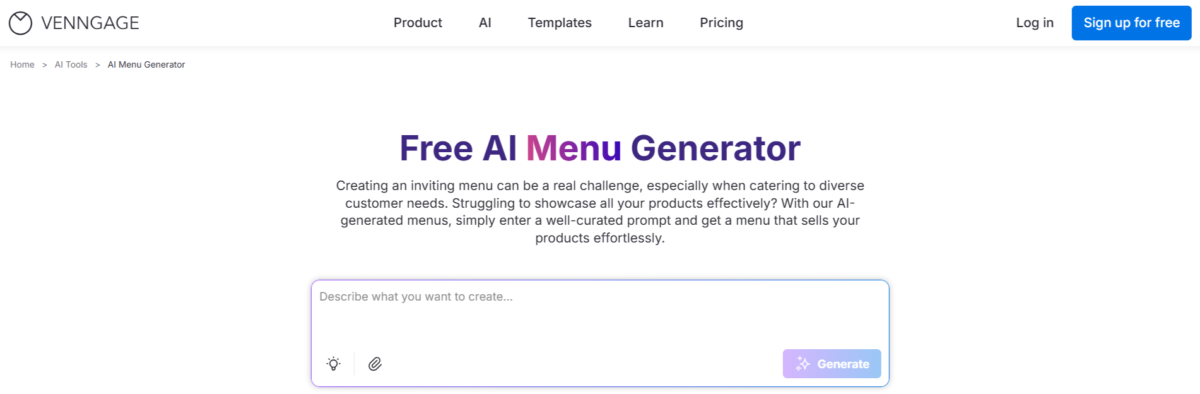
Venngage’s AI Menu Generator lets restaurants, cafés, and catering businesses type a plain-language prompt and get back a fully designed, print-ready menu, built on top of Venngage’s larger graphic design platform used by more than 14 million people.
Unlike a single-purpose menu app, this tool sits inside a much bigger design suite, which means you get real customization, brand kits, and export options most standalone menu generators don’t offer – but it also means the free plan comes with a catch worth knowing before you build your whole menu on it.
This listing covers exactly what the tool does, what’s genuinely free versus what isn’t, real user feedback, and how it compares to other AI menu generators.
Is Venngage’s AI Menu Generator Worth It? Our Review & Recommendation
After going through how the tool actually works, the real pricing structure, and what genuine users report, here’s the honest take: we recommend Venngage’s AI Menu Generator for restaurants, cafés, and small hospitality businesses that want a fast, professional-looking menu and are fine paying around $10/month for downloadable files – especially if you’ll also use the same account for flyers, posters, or social graphics down the line, since one subscription covers all of it.
We would not recommend going in expecting a completely free, print-ready menu, since the Free plan stops short of letting you download your design.
Everything You Need to Know About Venngage’s AI Menu Generator
| Website | venngage.com/ai-tools/menu-generator |
| Parent company | Venngage Inc. |
| Founded | 2012, in Toronto, Canada |
| Founders | Eugene Woo and Lucas Walker |
| Headquarters | Toronto, Ontario, Canada |
| User base | Over 14 million creators on the platform (per Venngage’s own pricing page) |
| Tool type | Prompt-based AI menu design generator |
| Free plan available? | Yes, but downloading your finished menu as an image requires a paid plan |
| Notable customers | Google, Airbnb, HubSpot, Cisco, AstraZeneca, The New York Times (listed on Venngage’s own site) |
Who Built This: A Quick Look at Venngage?
Venngage was started in Toronto in 2012 by Eugene Woo and Lucas Walker. Before Venngage, Woo had already built and sold a resume-visualization tool called Vizualize.me, which was acquired by Parchment in 2013 – so the AI menu generator you’re looking at today comes from a team with a decade-plus specifically in visual content tools, not a company that pivoted into design as an afterthought.
Venngage’s core product started as an infographic maker for non-designers, and it’s since grown into a full design platform covering infographics, reports, brochures, posters – and, more recently, a set of AI-powered generators including this menu tool.
The company is privately held, based in Toronto, and reports serving over 14 million creators.
How the AI Menu Generator Actually Works?
You don’t pick a template first – you start with a prompt. Type something like “create a dinner menu for a fine dining restaurant, with appetizers, mains, and desserts, elegant descriptions, and wine pairings,” and the AI generates a complete, styled menu based on that description rather than a blank layout you fill in yourself.
Venngage’s own guidance on writing a good prompt comes down to three things: being specific about cuisine and meal type, mentioning formatting preferences like course order or dietary labels, and describing the setting and audience so the design tone matches (a football tailgate menu shouldn’t look like a fine-dining wine list, and the tool adjusts for that if you tell it).
The full process, as Venngage lays it out, runs through five steps:
Define your objective (what the menu is for and who it’s for).
Specify the sections you need (appetizers, mains, desserts, beverages).
Write the prompt with layout and style details included, review and refine what the AI generates, and finalize it for sharing or printing.
It’s built specifically for restaurants, cafés, bars, coffee shops, and catering or event businesses, and Venngage ships pre-built starting points across categories like Restaurant, Chinese, BBQ, Cocktail, Football, and Takeout menus if you’d rather adapt an existing design than start from a completely blank prompt.
A Live Test: What Venngage’s AI Menu Generator Actually Produces
To see how the tool performs in practice, we ran it through a genuinely detailed prompt instead of a simple one-liner, to check how much styling and structure the AI actually picks up on:
The exact prompt we used:
“Create a modern fusion bistro dinner menu for a restaurant called ‘Spice Garden Kitchen.’ Use an elegant dark theme with deep green and gold accents, clean typography, and clear section hierarchy. Include these sections: Starters, Main Course, Signature Specials, Desserts, and Beverages, with 4 items in each section along with prices in dollars. Add short, appetizing descriptions for each dish. Style notes: gold separators between sections, balanced spacing, readable prices aligned to the right, subtle food icons, modern luxury restaurant aesthetic, high-resolution printable layout.”
What we noticed: The header banner nailed the brief almost exactly, a deep green background with a gold decorative border and clean, bold typography for the restaurant name and tagline, which is exactly the “elegant dark theme with gold accents” we asked for. Section structure was also accurate: Starters, Main Course, and Signature Specials each came out with precisely 4 items and prices aligned to the right, just as instructed.
A few things came out differently than requested, though. Instead of “subtle food icons” next to each section, the AI added actual food and drink photographs on the side of the menu, a nicer visual touch in some ways, but not what the prompt specifically asked for.
The short dish descriptions we requested didn’t show up either; items appeared as name-and-price only.

What we noticed: The header banner nailed the brief almost exactly, a deep green background with a gold decorative border and clean, bold typography for the restaurant name and tagline, which is exactly the “elegant dark theme with gold accents” we asked for. Section structure was also accurate: Starters, Main Course, and Signature Specials each came out with precisely 4 items and prices aligned to the right, just as instructed.
A few things came out differently than requested, though. Instead of “subtle food icons” next to each section, the AI added actual food and drink photographs on the side of the menu, a nicer visual touch in some ways, but not what the prompt specifically asked for.
The short dish descriptions we requested didn’t show up either; items appeared as name-and-price only.
The Desserts and Beverages sections weren’t fully visible in what the tool rendered on screen without scrolling further in the editor, so we can’t confirm how those two sections turned out from this generation alone.
Our takeaway: The AI is genuinely strong at reading color, tone, and section-by-section structure from a prompt, and it gets the harder layout work (spacing, price alignment, section separators) right without any manual fixing.
Where it takes creative liberties is with secondary style details, like swapping icons for photos and skipping requested descriptions, which lines up with what we flagged earlier in this listing: treat the AI output as a strong first draft you’ll still want to review and refine, not a one-shot exact match to your prompt.
Once your menu is designed, getting the prices themselves right matters just as much – see our picks for the 5 Best AI Tools for Menu Pricing & Profit Margin.
What You Can Actually Customize
Every AI-generated menu is fully editable afterward – this isn’t a one-shot image generator where you’re stuck with whatever comes out. You can adjust colors, fonts, layout, and sections manually inside Venngage’s editor once the AI has produced a first draft.
Add your own brand colors and logo through a Brand Kit (on paid plans), swap in different icons and stock images, and resize the same design for different formats using the platform’s Magic Resize tool, so one menu design can become a printed page, a website graphic, and a social post without rebuilding it three times.
Venngage AI Menu Generator Pricing
Pricing is per Venngage account, not specific to the menu tool – the AI Menu Generator uses the same plans as the rest of the platform:
| Plan | Price | Features |
|---|---|---|
| Free Plan | $0/month |
|
| Premium | $10/month (billed annually; $19 monthly) | All free features, plus:
|
| Business | $24/month per user (billed annually; $49 monthly)
|
All premium features, plus:
|
| Enterprise | Starting at $499/month (minimum 10 members)
|
All business features, plus:
|
Is the AI Menu Generator Actually Free?
Partly, and this is the detail most reviews of Venngage’s AI tools tend to skip past.
You can generate a menu completely free, and the free plan does include a trial of the AI features themselves – but according to Venngage’s own plan comparison table, PNG image downloading isn’t included on the Free tier at all.
Free-plan users can only share their finished menu through a public link, not download it as an image or PDF to print. If you need an actual printable file for your restaurant, you’ll need Premium at minimum, which is where PNG and Hi-Res PNG exporting becomes available; PDF and PowerPoint exporting only unlock on the Business plan. So “free” here means free to design and preview, not necessarily free to walk away with a print-ready file – worth knowing before you build a full menu expecting to print it at no cost.
What Real Users Say About Venngage?
Venngage’s own site cites a 4.8/5 rating on Google, 4.7/5 on G2, 4.6/5 on Capterra, and 4.8/5 on Trustpilot. Independent review platforms back this up reasonably closely – G2 shows Venngage at 4.7 out of 5 from 125 reviews, with small businesses making up the majority of reviewers.
What people consistently like:
- The editor is repeatedly described as easy to use even without design experience
- Templates are called clean and professional-looking straight out of the box
- Customer support gets specific praise for being handled by real people rather than bots
What people consistently flag:
- Some reviewers note that AI-generated designs don’t always follow every detail in a prompt precisely – one Trustpilot reviewer specifically described Venngage’s AI book cover generator ignoring part of their instructions and generating unrelated imagery instead, which is a fair caution for prompt-based AI tools generally, including the menu generator
- A few reviewers report confusion around billing, describing being charged on a recurring basis after what they understood to be a free sign-up
- Some describe difficulty getting a refund once billing had already started
- PDF exports can occasionally need manual adjustment for print sizing, according to a few reviews
Who Should Use Venngage (And Who Shouldn’t)?
Good fit for:
- Restaurants, cafés, bars, and catering businesses that want a professional-looking menu without hiring a designer
- Anyone who wants to start from a text prompt rather than browsing hundreds of templates manually
- Businesses that also need other design work (flyers, posters, social graphics) done, since one Venngage account covers all of it
- Teams that want brand-consistent menus across multiple locations, using Brand Kits on the Business plan
Probably not the right fit for:
- Anyone expecting to design and download a printable menu completely free – budget for at least the Premium plan if you need a downloadable file
- Businesses that need restaurant-specific software features like live pricing sync, inventory, or ordering integration
- Anyone who wants a fully hands-off AI output with zero manual editing afterward, since review and refinement is a built-in step of the process, not an optional one
Strengths
-
- Genuine prompt-to-menu AI generation, not just template browsing
- Fully editable after generation – not locked into the first AI draft
- Backed by a design platform with 14M+ users and enterprise customers like Google and Airbnb
- Reasonably priced Premium tier ($10/month) compared to hiring a designer
- Same account covers menus plus flyers, posters, and other marketing design
Weaknesses
-
- Free plan can’t download a printable PNG or PDF.
- AI doesn’t always follow every prompt detail precisely.
- PDF exports may need manual print-size adjustment.
- Some reviewers report billing and refund friction.
- Not restaurant-specific software – no ordering, POS, or nutrition tools.
What Else Comes With Your Venngage Account?
The menu generator draws on the same AI engine that powers Venngage’s other tools, and a few of these are worth knowing about even if they’re not menu-specific:
AI Branding Automation pulls your brand colors, fonts, and logo into every new design automatically.
AI Content Auto-Fill fills a chosen template with relevant text so you’re editing rather than starting blank.
AI Writer and Translation can rewrite menu descriptions or translate the whole menu into another language.
Smart Accessibility AI checks color contrast and generates alt text, which matters if your menu is going on a website rather than just printed in-store. None of these are unique to the menu tool, but they’re part of what you’re getting when you build a menu on Venngage instead of a narrower, single-purpose generator.
Want to see how other AI menu generators compare? Browse more AI tools on ToolsFlood before you decide.
Frequently Asked Questions
Is Venngage’s AI Menu Generator free?
You can generate and preview a menu for free, but downloading it as a printable PNG or PDF requires at least the Premium plan ($10/month billed annually). The Free plan only supports sharing via a public link.
Can I customize the menu after the AI generates it?
Yes. Every AI-generated menu opens in Venngage’s full editor afterward, where you can change colors, fonts, layout, sections, and images manually.
Are the AI-generated menus copyright-free?
Yes, according to Venngage, menus generated with its AI tools are copyright-free for personal and commercial use, though it’s worth independently checking any outside content you add yourself.
What kind of menus can I make with it?
Venngage’s templates and prompt system cover restaurant, Chinese, BBQ, cocktail, football/tailgate, and takeout menus, along with custom styles you describe in your own prompt.
Does Venngage’s AI Menu Generator work for print, not just online?
Yes, it’s built to work for both digital and printed menus, though printable exports (PNG, PDF) require a paid plan rather than the free tier.
Venngage vs Media.io’s AI Menu Generator: which one should I use?
Both are prompt-based AI menu generators, but they come from different kinds of companies.
Media.io’s tool is built by Wondershare, a company known for media and file-conversion software, and its menu generator focuses narrowly on fast, single-purpose generation.
Venngage’s version sits inside a much larger design platform, so you get ongoing editing, Brand Kits, and multi-format export (PDF, PowerPoint) that Media.io’s more focused tool doesn’t offer – the trade-off is that Venngage gates printable downloads behind a paid plan, while tools like Media.io tend to hand you a finished PNG directly after generation. If you want a quick one-off menu image, a narrower generator can be faster; if you want a menu you’ll keep editing and rebranding over time, Venngage’s fuller platform is the better fit.
Want to see how more options stack up? Check out our full roundup of the 6 Best AI Menu Generators for a side-by-side comparison.
Venngage vs Canva for menu design: what’s the difference?
Canva has a larger, more general template library and a bigger free tier for downloads, while Venngage leans more on its prompt-based AI generation specifically for the first draft. Reviewers on G2 note Venngage tends to be viewed as more straightforward to do business with, while Canva is generally seen as having the larger ecosystem and community template library.