
ColorBliss - AI Coloring Page Generator: Review, Pricing & Features
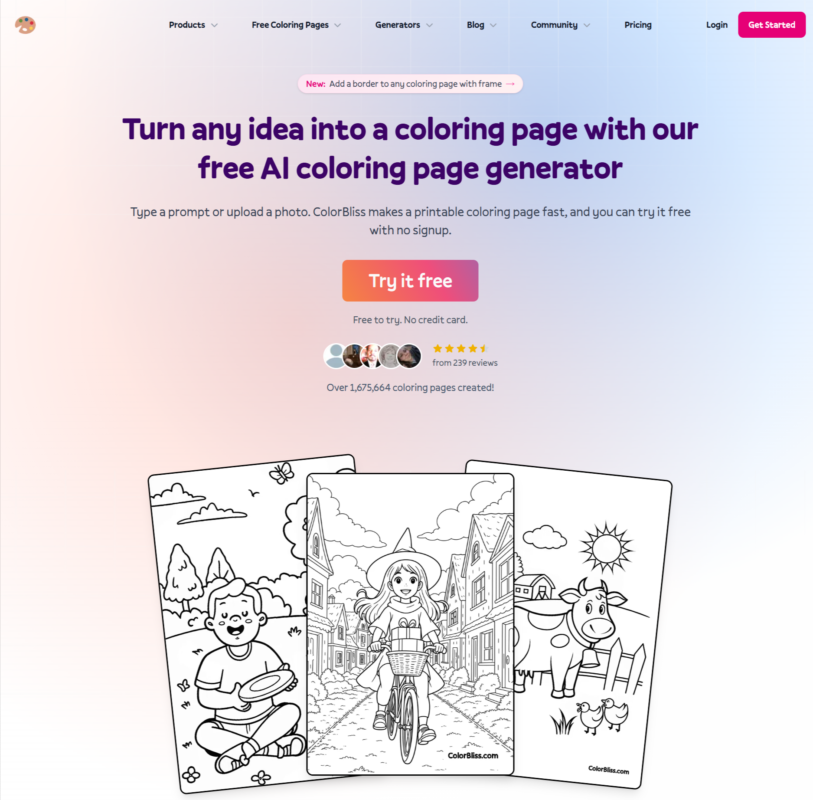
ColorBliss is an AI coloring page generator that turns a text prompt, a photo, or even a rough sketch into a clean, printable coloring page in about 4 seconds – no drawing skills needed.
It’s built specifically for coloring pages, not general art, which matters more than it sounds: most people who try to make a coloring page with a regular AI image tool end up with a shaded, full-color picture instead of the crisp black-and-white outline you actually need to print and color.
This guide covers everything ColorBliss does, what’s genuinely free, what real users say, and whether it’s worth paying for.
Is ColorBliss Worth It? Our Review
After going through every feature, the real pricing across all four tiers, and what actual reviewers report, here’s the honest take: we recommend ColorBliss for parents, teachers, and small creators who want a fast, dedicated tool for turning ideas, photos, or sketches into printable coloring pages, rather than fighting a general AI art tool into producing clean line art.
The free trial is a real, no-commitment way to test it, If you’re planning to sell what you make, budget for the Artist plan ($25/month) from the start rather than discovering the commercial licensing requirement after you’ve already built a project on a lower tier – that’s the one detAIl worth knowing upfront rather than finding out midway through.
It’s also ColorBliss’s own recommended plan for exactly this reason, and for $13 more than Hobby, it removes the watermark, doubles your credits, and unlocks bulk generation on top of the commercial rights.
The Basics on ColorBliss
| Website | colorbliss.com |
| Tool type | AI coloring page generator (text, photo, and sketch to line art) |
| Founded | 2023 |
| Founder | Ben, a father who left a corporate job to build it |
| Parent company | Marginalia Ventures LLC |
| Users | Over 153,000 creators signed up, 1.6M+ coloring pages created |
| Reviews | 4.9-star average from 239 reviews (site-reported), tracked on Capterra |
| Free plan? | Yes, free credits with no credit card, no full account required to try it |
| Commercial use? | Only on the Artist plan and above |
What ColorBliss Actually Lets You Do?
There are three real starting points – a text prompt, a photo, or a sketch – and everything else in the tool builds on top of one of those.
Generate a Coloring Page From a Text Prompt
This is the core AI coloring page generator feature. Type a description – “a dinosaur astronaut on Mars, cartoon style, for kids ages 6 to 8” – and ColorBliss returns clean, printable line art in about 4 seconds.
You can pick from styles including simple, intricate, cartoon, manga, zentangle, doodle, floral, and several more, so the same idea can come out beginner-friendly or genuinely detailed depending on who’s going to color it.
In the Text Prompt section, there are multiple style options available:
- Fast
- Whimsical Anime
- Simple
- Intricate
- Zentangle
- Mandala
- Cartoon Person
- Realistic Person
- Pencil Sketch
- Cozy
If you select the Fast style, it uses 0 credits.
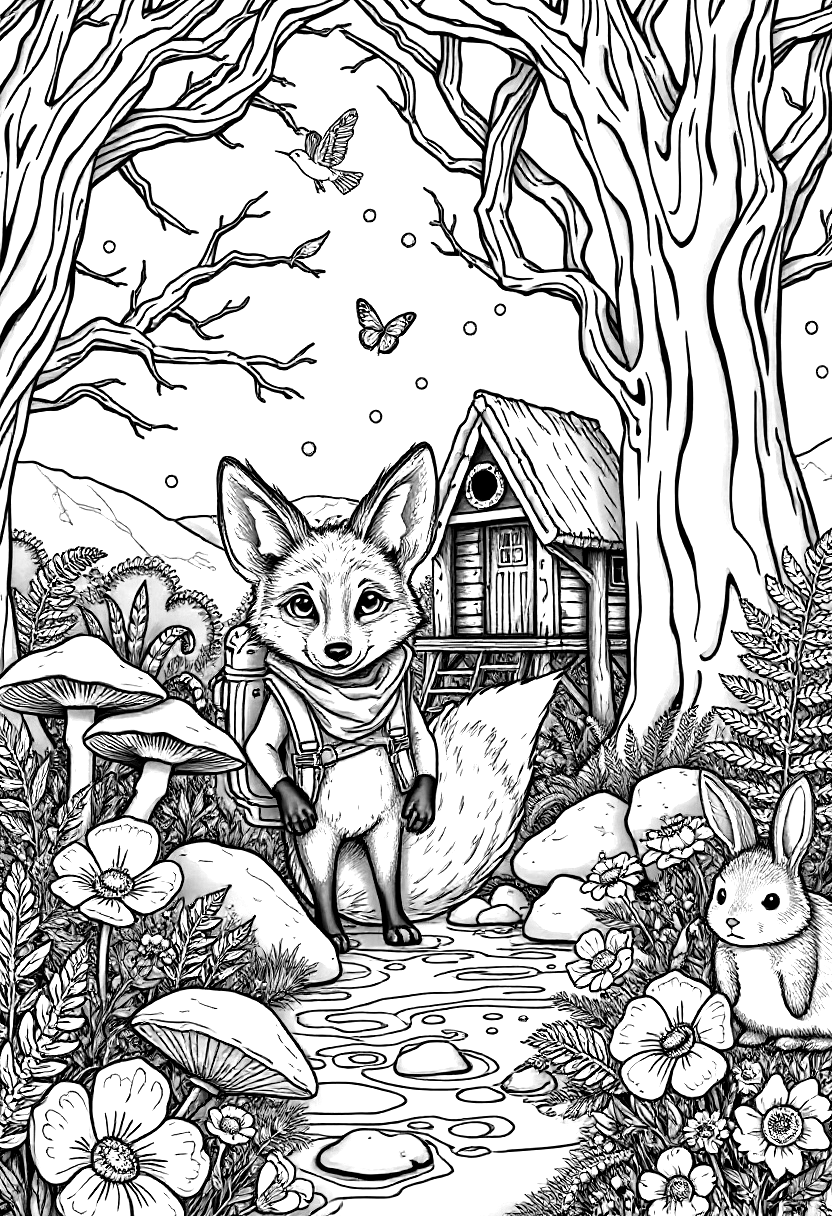
We used the Fast style and the following prompt to see how well the tool could turn a detailed description into a coloring page:
A friendly young fox wearing a small explorer backpack, standing in a magical forest clearing beside a sparkling stream. Around the fox are large mushrooms, wildflowers, butterflies, ferns, rocks, and tall trees with twisting branches. In the background, a small wooden treehouse with a ladder is visible among the trees, with birds flying in the sky. Add a few floating fireflies and tiny woodland animals such as a rabbit and hedgehog. Create a clean black-and-white coloring page with clear outlines, balanced composition, recognizable objects, and enough open spaces for coloring. No color, no gray shading, no gradients, no text.
Convert a Photo Into a Coloring Page
If you’ve been searching for a way to convert a picture to a colouring page or turn a photo into a colouring page, this is that feature. Upload a family photo, a pet picture, or an old school portrait, and ColorBliss strips the background and extracts clean outlines, turning it into something printable.
It’s one of the more requested use cases on the site – people use it for keepsakes, class projects, and personalized coloring books built around real family photos rather than generic clip art.
In the Photo Into a Coloring Page section, there are multiple style options available:
- Detailed
- Flat Line
- Watercolor
- Vintage Comic
- Voxel Art
- Poly
- Vector Sketch
- Zendoodle
We used the Default style and the following image to see how well the tool could turn a Convert a Photo Into a Coloring Page

Test Result: Convert a Photo Into a Coloring Page

Turn a Sketch Into a Finished Coloring Page
Upload a rough drawing – a kid’s doodle, a quick sketch on a napkin – and ColorBliss cleans it up and fills in detail to make it print-ready.
This is a genuinely different job from the photo converter, since it’s completing an unfinished drawing rather than simplifying an existing photo.
Magic Color (Full Color, Not Just Outlines)
Most tools in this category stop at black-and-white line art. ColorBliss also lets you color the page inside the app using Magic Color, with seven style options – Digital ink, Colored pencils, Watercolor, Marker, Crayons, Pastels, and Cel shading – so you don’t need a second tool if you want a finished, colored version too.
Word Art
You can turn names, quotes, or short phrases into coloring pages – think a name banner for a kid’s bedroom door, a Bible verse page for Sunday school, or a “Congrats Grad” sign for a party. This is a nice example of the tool going beyond just “draw me a thing.”
Consistent Characters
If you upload a reference photo, ColorBliss can keep that same character consistent across multiple generated pages – useful if you’re building a whole coloring book around one character (a specific dog, a specific illustrated version of a kid) rather than getting a slightly different version of them on every page.
Bulk Generation
On the Artist plan and above, you can generate up to 50 pages at once, which matters if you’re actually building and self-publishing a coloring book maker-style project rather than making one page at a time.
How ColorBliss Built Its AI Coloring Page Generator
This one’s worth knowing because it’s an actual, small-team origin story rather than a startup pitch deck. Ben, the founder, has said his 5-year-old son was obsessed with coloring, but he could never find the specific pages his son wanted – a dinosaur riding a specific kind of truck, say, or a character that didn’t exist in any coloring book.
So in 2023 he quit his corporate job and built ColorBliss to see if AI could solve that one, oddly specific parenting problem. Since then, it’s grown to over 153,000 signed-up creators and more than 1.6 million pages generated, used by parents printing pages for road trips, teachers making worksheets, churches running Sunday school activities, and independent artists building coloring books to sell on Amazon KDP and Etsy.
ColorBliss Pricing
ColorBliss runs on a monthly credit system, and you can save up to 31% by paying annually instead of monthly:
| Plan | Price | Features |
|---|---|---|
| Starter | $7/month ($84 billed annually) 250 credits/month, no rollover |
|
| Hobby
|
$12/month ($149 billed annually) 500 credits/month, rollover up to 500 |
|
| Artist ⭐ Best for Selling |
$25/month ($297 billed annually) 1,000 credits/month, rollover up to 2,000 |
|
| Business | $83/month ($997 billed annually) 5,000 credits/month, rollover up to 15,000 |
|
If you don’t want a subscription, ColorBliss also sells one-time credit packs (500 credits for $25, 1,000 for $45, 2,000 for $80) that expire after 6 months – useful for an occasional project rather than ongoing use.
Why Artist Is Worth the Jump From Hobby?
For $13 more a month than Hobby, Artist isn’t a small upgrade – it changes what you can actually do with the tool:
- Double the credits. 1,000 a month instead of 500, so you’re not rationing generations halfway through the month.
- No watermark. Hobby and Starter outputs carry ColorBliss’s watermark; Artist removes it entirely, which matters the moment you’re printing or sharing anything outside your own home.
- Commercial licensing. This is the big one – Hobby is personal-use only. If you plan to sell a single coloring book on Etsy or Amazon KDP, even once, you need Artist. Without it, you can make the page, but you can’t legally sell it.
- Bulk generation (50 pages at once). Useful the moment you’re building an actual book rather than one page for one afternoon.
- Better rollover. Up to 2,000 banked credits instead of 500, so a slower month doesn’t waste what you’ve paid for.
If there’s any chance you’ll want to sell what you make later, starting on Artist directly is simpler than upgrading mid-project and discovering the commercial license wasn’t included on Hobby.
Is ColorBliss Actually Free?
Yes, genuinely – you can try the generator on the homepage with no credit card, and every new account starts with free credits to test prompts and styles before paying anything. If you specifically want to turn photos into coloring pages or convert a sketch, that requires at minimum the Hobby plan ($12/month). And if you’re planning to sell what you make – coloring books on Amazon KDP, Etsy, or your own shop – you’ll need the Artist plan or higher, since commercial use isn’t included on Starter or Hobby.
What Real Users Say About ColorBliss
ColorBliss reports a 4.9-star from 239 reviews, and independent reviews on Capterra back this up with consistent praise.
What people consistently like:
- The interface is repeatedly called easy to use, even by people who describe themselves as not tech-savvy.
- Bulk processing gets specific praise for saving real time on multi-page projects, with one reviewer noting they could “leave the computer to do other projects” while a batch of photos processed.
- Photo-to-coloring-page conversion is called out as producing genuinely usable results from real family photos, not just simple cartoons.
- Teachers and parents specifically mention using it for classroom worksheets and history projects that turned out well with students.
Strengths and Weaknesses Of ColorBliss
Strengths
-
-
- Purpose-built for clean, print-ready line art – not general art.
- Genuinely free to try, no credit card needed.
- Photo-to-coloring-page conversion works from real family photos.
- Magic Color adds full-color output without a second tool.
- Consistent characters and bulk generation for real coloring book projects.
- Built and run by a small, responsive team (founder actively engages with users).
-
Weaknesses
-
-
- No refunds on already-generated pages.
- Occasional retries needed since results vary by generation.
-
Who Should Use ColorBliss (And Who Shouldn’t)
Good fit for:
- Parents and teachers who want a fast AI-generated coloring pages tool for specific, on-demand requests – party themes, classroom worksheets, road trip activities.
- Anyone who wants to change a photo to a coloring page for a keepsake, gift, or personalized project.
- Independent creators and self-publishers using it as a coloring book maker for Amazon KDP or Etsy projects, once on the Artist plan.
- Churches, therapists, and community groups needing quick, family-friendly printable activities.
Probably not the right fit for:
- Anyone who wants full-color, pAInterly artwork rather than printable line art – a general AI image tool is built for that job, not this one.
- Anyone planning to sell their creations without upgrading to the Artist plan, since commercial rights aren’t included below it.
Frequently Asked Questions
What is an AI coloring page generator?
An AI coloring page generator is a tool that turns a text idea, photo, or rough sketch into clean, printable black-and-white line art, instead of the shaded, full-color image a general AI art tool would produce.
How is ColorBliss different from a general AI coloring pages generator or a tool like Midjourney or DALL-E?
General AI image tools are built for full-color art, so getting clean printable outlines out of them usually takes careful prompt engineering and manual cleanup afterward. ColorBliss is built specifically for coloring pages, so every generation comes out as ready-to-print line art by default.
Are AI generated coloring pages actually unique each time?
Yes. Every page ColorBliss generates is unique, even from the exact same prompt, since image generation naturally produces some variation each time you run it.
How do I convert a picture to a colouring page?
Upload your photo to ColorBliss’s photo-to-coloring-page converter, and it automatically strips the background and extracts clean outlines, turning it into a printable coloring page in a few seconds. This requires at least the Hobby plan.
Can I change a photo to a coloring page in bulk, not just one at a time?
Yes, on the Artist plan and above, you can generate up to 50 pages at once through bulk generation, which is useful for turning a whole folder of family photos or a full coloring book’s worth of pages into line art in one go.
Does ColorBliss work as a full coloring book maker, not just single pages?
Yes – there’s a dedicated Coloring Book Generator that helps assemble multiple pages into a complete book, and several real ColorBliss users have self-published finished coloring books on Amazon KDP using it.
Can I sell coloring pages or books I make with ColorBliss?
Yes, but only on the Artist plan or higher, which includes commercial licensing for books, printables, and client work. The Starter and Hobby plans are for personal use only.
Is ColorBliss safe for kids to use?
Yes. Every generated page is black-and-white line art with no violent or inappropriate content, and it’s specifically marketed as family-friendly for parents and teachers.