
Template.net AI Menu Generator
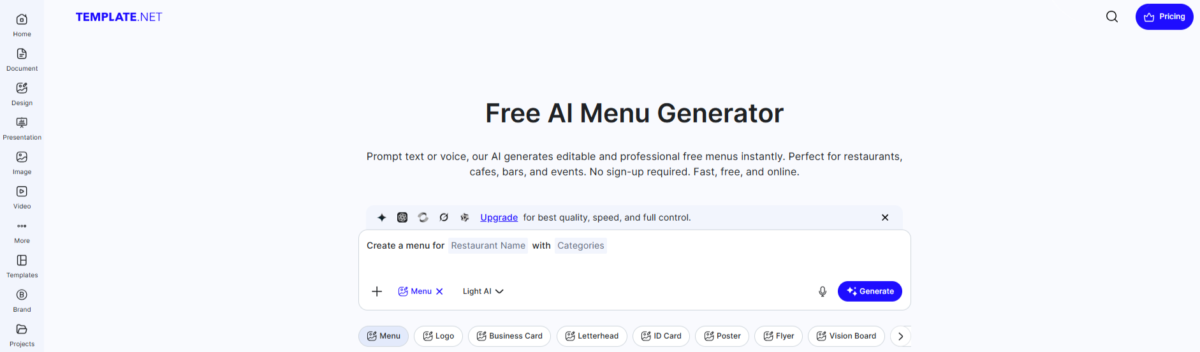
If you want to create a menu quickly without dealing with complicated design tools, the best and fastest AI Menu Generator from Template.net is a very practical option.
It’s a browser-based tool, so you don’t need to download anything. You simply enter your menu details, and the AI helps you generate a clean, readable design within seconds. After that, you can easily customize everything, from logos and fonts to dish descriptions and pricing, and download it.
This tool is part of Template.net’s larger AI system that converts normal text or voice prompts into fully editable designs.
Unlike many AI tools that give you just a static image, this one creates a proper editable file. That means you can:
- Change text anytime
- Adjust layout
- Add or remove sections
- Customize design elements freely
Another big advantage is that you don’t need to sign up for basic use. You can generate, edit, and download without creating an account. Signup is only required if you want advanced features like team collaboration or high-volume usage.
Want to explore more AI menu generators? Check out here – you’ll find honest reviews, real features, and tested results.
One of the best parts of this tool is the massive template collection. You’re not limited to just one style, you get a wide range of ready-made designs.
Some popular styles include:
- Retro Menu
- Minimalist Menu
- Modern Menu
- Professional Menu
- Aesthetic Menu
- Organic Food Menu
- Coffee Drink Menu
- Wedding Menu
- Cocktail Menu
- Birthday Menu
- Bar Menu
- Catering Menu
- QR Code Menu
- School Menu
…and many more.
So even if the AI-generated design isn’t perfect, you can quickly switch to a template and customize it.
Useful Features You Should Know About
This tool is not just for creating menus, you can also adjust things the way you want.
- You can add QR codes or links for online ordering
- Supports multiple languages (20+ languages) including English, Hindi, Spanish, French, Arabic, and more
- Prices are placed properly, so you don’t have to fix alignment manually
- You can use it for different types of menus like restaurants, cafés, bars, events, or delivery
You also get simple editing options:
- Change text, fonts, and layout easily
- Use ready-made food icons and images
- Pick backgrounds like wood, marble, or simple modern styles
- Add labels like vegan, gluten-free, or spicy
The AI can even help generate dish descriptions based on cuisine type, which saves a lot of time.
If you’re working with a team, this tool supports real-time collaboration.
That means chefs, managers, or marketing team members can all:
- Edit the menu
- Suggest changes
- Manage versions
This is especially useful for restaurants that update menus frequently.
You can create menus in standard sizes like:
- 5 × 7 inches
- 8.5 × 11 inches
- 8.5 × 14 inches
- 11 × 17 inches
So whether you need a small table menu or a large display menu, it’s covered.
One really interesting feature is the AI meal generator. You can add this to your menu so customers can explore or generate their own healthy meal ideas. It’s a unique touch and can make your restaurant feel more modern and interactive.
Template.net also offers paid plans, which you can check below.
Pricing Plans:
| Plan | Price | Features |
|---|---|---|
| Plus | Starting at ₹2,032/monthly & ₹1,016 yearly | All free features, plus:
|
| Max | Starting at ₹7,960/monthly ₹3,980 yearly | All Plus plan features, plus:
|
Strengths
- Very easy to use, even for beginners
- No signup required for basic use
- Fully editable output (not just an image)
- Huge collection of templates for every style
- Supports multiple formats like PDF, PNG, JPG, SVG, and HTML
- Works for both print and digital menus
- Multilingual support (great for global or local audiences)
- Easy sharing on platforms like WhatsApp, Instagram, Facebook, etc.
Weaknesses
- No clear information about free plan limits (credits, downloads, or usage caps)
- Some advanced features may require signup or upgrade
- Too many options can feel slightly overwhelming for first-time users.
Prompt and Result We Tested for You
Here is a prompt and its the results that we tested for you, so you can see how the tool works and check the overall output quality.
Create a onepage, premium restaurant menu for a modern global fusion restaurant called “Verdant Table”.
Concept:
Upscale international dining with dishes inspired by Thai, Italian, Japanese, Mediterranean, and Continental cuisines. All dishes are plantbased, but do not mention vegetarian or vegan anywhere in the menu.
Style:
Elegant finedining design with a soft ivory background, dark charcoal text, and subtle gold accents. Clean layout, balanced spacing, and clear section hierarchy. Use minimal icons and a sophisticated look.
Layout:
Singlepage vertical menu with wellorganized sections. Avoid overcrowding and maintain readability.
Sections:
STARTERS
- Thai Tom Kha Soup with coconut milk, lemongrass, and mushrooms – $200
- Mediterranean Mezze Platter with hummus, falafel, pita, and dips – $250
- Japanese Tempura Vegetables with light soy dipping sauce – $240
- Burrata with heirloom tomatoes and basil oil – $300
MAIN COURSE
- Thai Green Curry with jasmine rice and seasonal vegetables – $220
- Truffle Mushroom Risotto with parmesan and herbs – $240
- Japanese Teriyaki Tofu Steak with steamed rice and sesame glaze – $230
- Mediterranean Stuffed Peppers with herbed couscous – $210
- Spinach & Ricotta Ravioli in sage butter sauce – $250
- Stirfried Asian Greens with garlic sauce and noodles – $200
- SIGNATURE DISHES (highlight this section)
- Chargrilled Cauliflower Steak with chimichurri – $260
- Chef’s Special Fusion Platter (multicuisine tasting) – $320
- Wild Mushroom Stroganoff with buttered pasta – $299
DESSERTS
- Classic Tiramisu – $120
- Matcha Cheesecake – $140
- Dark Chocolate Fondant – $130
BEVERAGES
- Fresh ColdPressed Juice – $90
- Sparkling Citrus Cooler – $110
- Iced Matcha Latte – $100
- Artisan Coffee Selection – $99
COMBO / TASTING
- 3Course Chef’s Selection (Starter + Main + Dessert) – $380
- 5Course Tasting Experience – $550
Footer:
- Add tagline: “A World of Flavors, Crafted with Care”
- Include contact details placeholder and minimal social icons.
Important instructions:
- Keep all prices right aligned
- Maintain consistent spacing and typography
- Avoid text overlap or crowding
- Ensure clean, premium presentation
Make it printready highresolution output
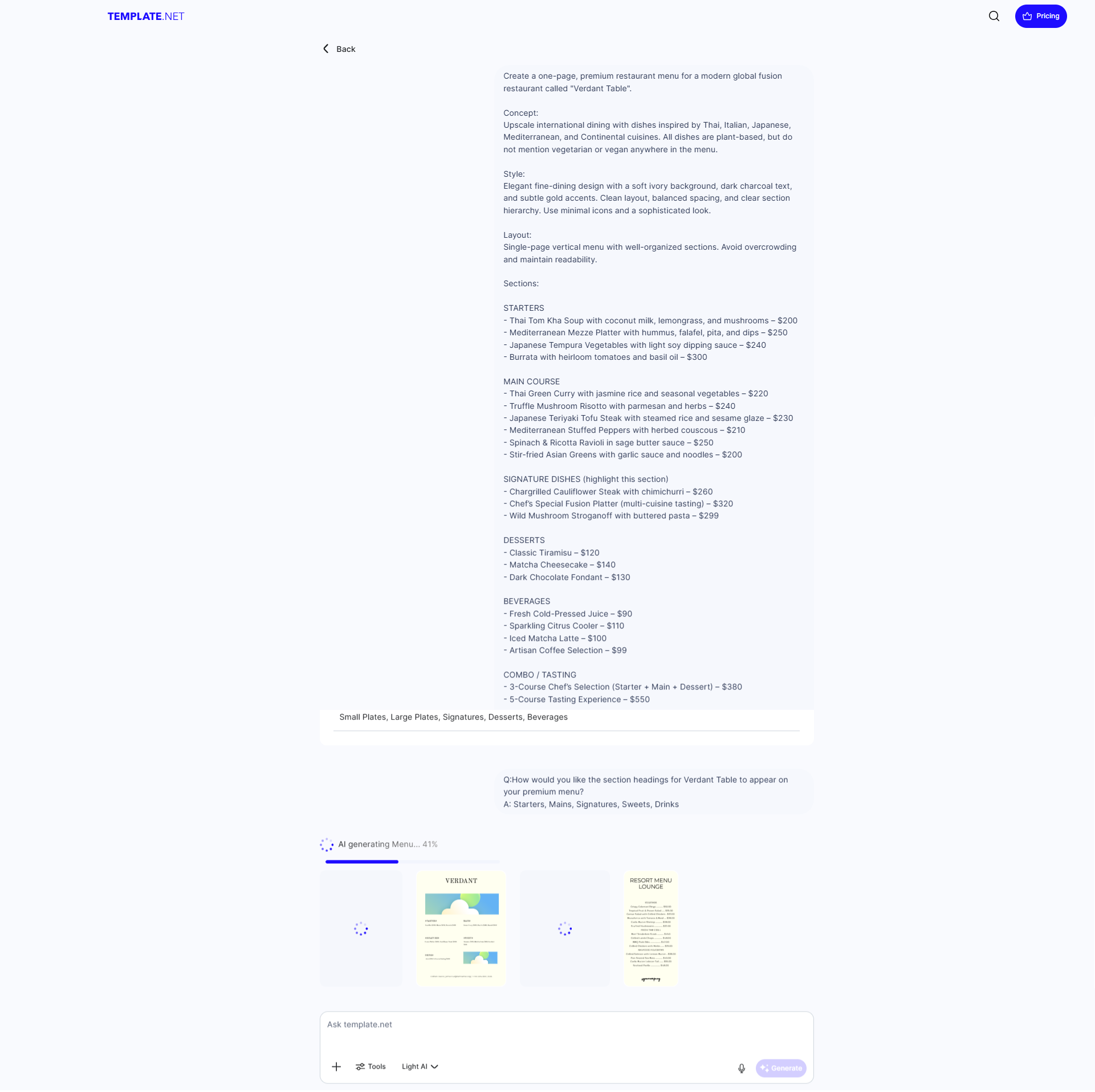
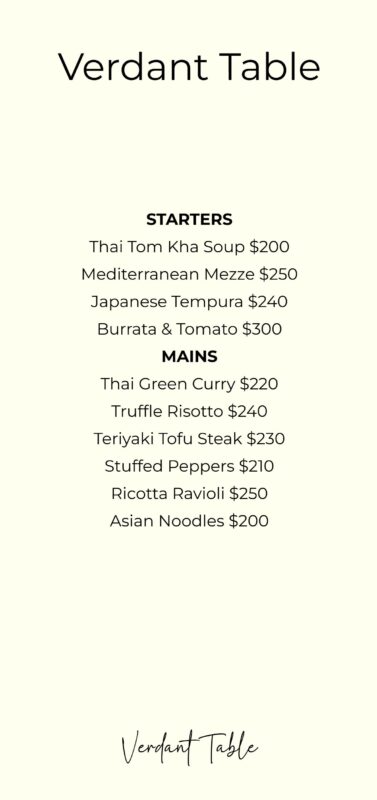
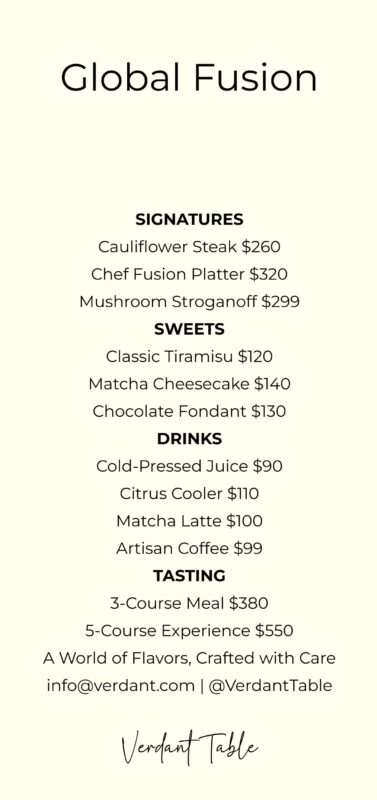 One important thing is that both the generated output and their readymade templates come with a watermark, and you must upgrade the plan if you want to remove it. If you’re looking for a fully free AI menu generator, this may not be perfect for you. Or you may need to use another tool to remove the watermark.
If you need any other AI tool, don’t worry you can find all types of AI tools here.