
Venngage - AI Menu Generator
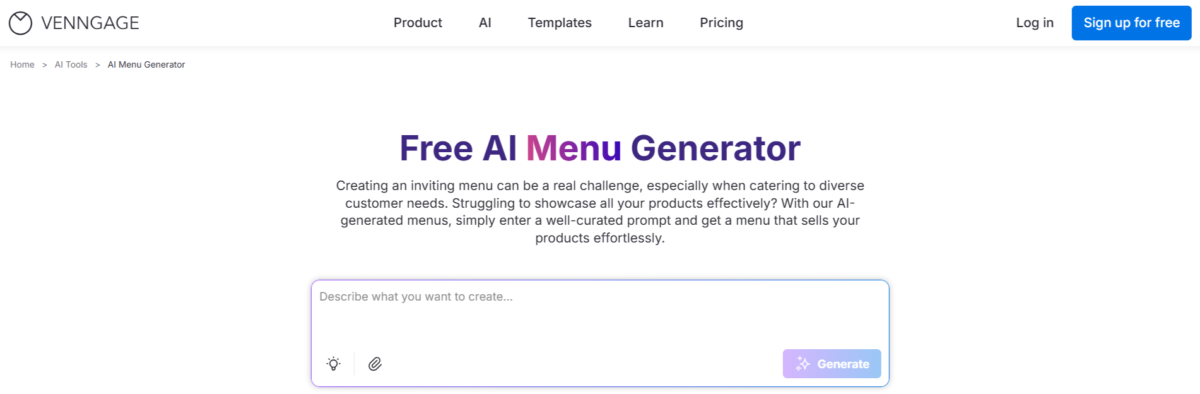
If you’re looking for a tool that can turn a simple text prompt into a complete menu design, the AI Menu Generator from Venngage is definitely worth trying.
But it’s not just a simple AI tool; it’s part of a much bigger design ecosystem.
Before using the tool, there are a few things you should be aware of:
- A login is required to access the AI generator
- You get access to 10,000+ ready-made templates (category-wise)
- Both free and paid plans are available
- You can choose from different design sizes depending on your needs
So even if the AI result isn’t perfect, you already have a huge template library as a backup.
Pricing Plans:
| Plan | Price | Features |
|---|---|---|
| Free Plan | $0/month |
Accessible Design Features:
|
| Premium | Starting at $19/monthly & $10 yearly | All free features, plus:
|
| Business | Starting at $49/monthly & 24 yearly | All premium features, plus:
|
| Enterprise | $499 (Same price for monthly & yearly plans) | All business features, plus:
|
Still exploring your options? Don’t miss our curated list of AI menu generators, packed with detailed reviews, comparisons, and tips to help you choose the right one.
The free plan is good for testing, but it comes with some clear limits:
- You can create only 5 designs total
- Designs can be shared only via a public link
- AI images come with trial credits
- No high-resolution downloads
- No private sharing
- No brand kit access
- Limited uploads (up to 6 images)
So basically, it’s useful for testing, but not enough for full professional use.
Other Helpful Features Inside This Tool
This is where the tool starts to feel more useful than a basic AI generator.
AI Branding Automation
Upload your logo once, and the tool automatically applies your brand colors and fonts to the menu.
Full Editor After AI Generation
You’re not stuck with the AI result. You can:
- Drag and edit elements
- Add QR codes (for online ordering)
- Replace images with real photos
AI Text Tools
You can improve or translate content easily. For example, you can turn one menu into multiple languages in seconds.
Check out all the AI tools you need for your daily tasks and workflows, everything in one place to make your work easier.
Strengths
-
- Extremely fast, it generates a full menu in seconds
- Output looks professional and well-structured
- Combines AI + manual editing, which gives more control
- Beginner-friendly, no design skills needed
- Works for both print and digital use
- Backed by a strong design platform with thousands of templates
Weaknesses
-
- The free plan is very limited (only 5 designs)
- You must upgrade to download the final menu (big drawback)
- Some designs may look generic without customization
- Advanced features and AI credits are locked behind paid plans.
Real Test Example
Here is a prompt and its result that we can test, so you can see how it works in the free version and think about how it works in the paid version.
Design a one-page, professional restaurant menu for a premium vegetarian fusion restaurant called “Verdant Roots”.
Style:
Modern, elegant design with a soft beige background, deep green accents, and gold typography. Clean layout, proper spacing, and clear visual hierarchy. Add subtle leaf illustrations and minimal fine-dining icons.
Layout:
Single-page vertical menu divided into clearly separated sections with balanced spacing. Ensure no overcrowding.
Sections:
STARTERS
– Crispy Lotus Stem with honey chili glaze – $190
– Truffle-infused Mushroom Soup – $280
– Avocado Chickpea Salad with citrus dressing – $100
– Paneer Tikka Bites with mint chutney – $110
(Add small dietary icons: vegan, gluten-free where applicable)MAIN COURSE
– Butter Paneer Masala with garlic naan – $300
– Thai Green Vegetable Curry with jasmine rice – $170
– Spinach & Ricotta Ravioli in cream sauce – $199
– Veg Sushi Platter with soy and wasabi – $220
– Schezwan Stir-fried Noodles – $250
– Dal Makhani – $250SIGNATURE DISHES (highlighted box)
– Chef’s Special Veg Sizzler with smoky sauce – $200
– Premium Paneer Tikka Platter – $100
– Exotic Grilled Veg Steak with herb butter – $21DESSERTS
– Chocolate Lava Cake – $50
– Mango Cheesecake – $100
– Gulab Jamun with ice cream – $60BEVERAGES
– Cold Coffee with ice cream – $60
– Fresh Lime Soda – $20
– Virgin Mojito – $20
– Masala Chai – $10COMBO MEALS
– Starter + Main + Drink Combo – $80
– Main + Dessert Combo – $90Important instructions:
– Keep prices right-aligned
– Maintain consistent font sizes and spacing
– Avoid text overlap or crowding
– Ensure readability and clean structure
– Make it print-ready, high-resolution output
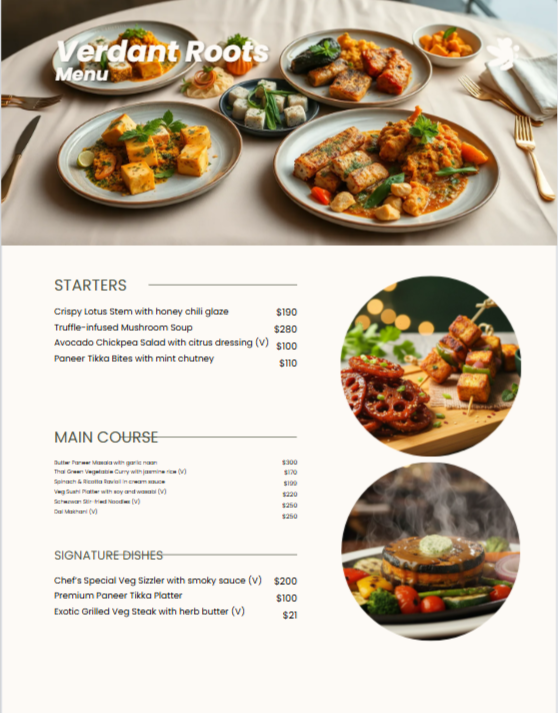
After testing, one major drawback became clear:
You cannot download the menu without upgrading. Here we attached a screenshot.
FAQS
1. Is the Venngage AI Menu Generator completely free?
Yes, you can start completely free, no credit card needed. The Free plan lets you test all AI features, including the Menu Generator, and create up to 5 designs total.
However, you only get public links (no private sharing or high-res downloads). For unlimited menus, private links, auto-branding, and 100 AI credits/day, upgrade to Premium.
2. Can you fully customize menus created by Venngage AI Menu Generator?
Yes, 100% customizable.
Every AI menu opens in Venngage’s professional drag-and-drop editor. You can:
- Drag elements, add QR codes for online ordering
- Swap photos, edit prices, change fonts
- Add pages, dietary icons, wine pairings
- Apply your full Brand Kit with one click
3. Are Venngage AI-generated menus copyright-free for restaurants?
Yes. All designs you create with Venngage (including AI menus) are completely copyright-free for personal and commercial use. You can print them, put them on your website, share on social, or sell to clients.
4. How do I write the best prompt for Venngage or other AI Menu Generators?
Use this proven formula for 90% ready results:
“[Style] [Cuisine] [Meal] menu for a [venue]. Sections: Appetizers, Mains, Desserts, Drinks. Include [dietary labels/prices/pairings]. Mood: [elegant/trendy/healthy]. High-quality food photos, [color scheme].”